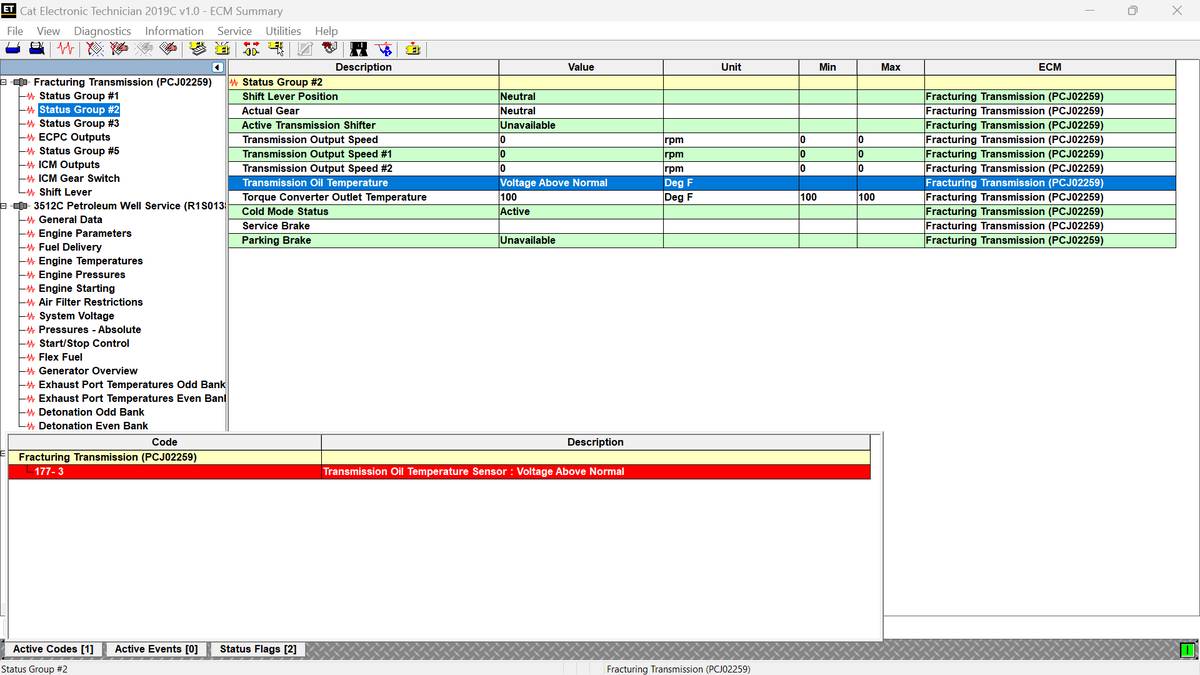
Diagnostic code SPN 177 FMI 3 indicates that the transmission ECM is detecting an abnormally high voltage from the transmission sump oil temperature sensor.
On some Caterpillar systems, this fault may also appear as:
- MID 027
- CID 0177
- FMI 03
- Transmission Oil Temperature Sensor – Voltage Above Normal
The sensor uses an approximately 8-volt supply and sends a PWM signal to the ECM.
What Causes SPN 177 FMI 3?
Possible causes include:
- Open sensor supply circuit
- Open sensor return circuit
- Signal wire shorted to battery voltage
- Open signal circuit
- Disconnected sensor
- Failed transmission oil temperature sensor
- Failed ECM, although this is unlikely
Before testing, confirm that CID 0177 FMI 03 is active. Some test procedures may create additional temporary codes. Clear those codes after completing the repair.
Tools Required
- Digital multimeter
- Suitable jumper wire
- Caterpillar ET diagnostic software
- Machine wiring diagram
- CAT Caterpillar ET Diagnostic Adapter III
Test 1: Check Sensor Supply Voltage
- Turn the disconnect switch and key switch to ON.
- Disconnect the transmission oil temperature sensor.
- Measure voltage between:
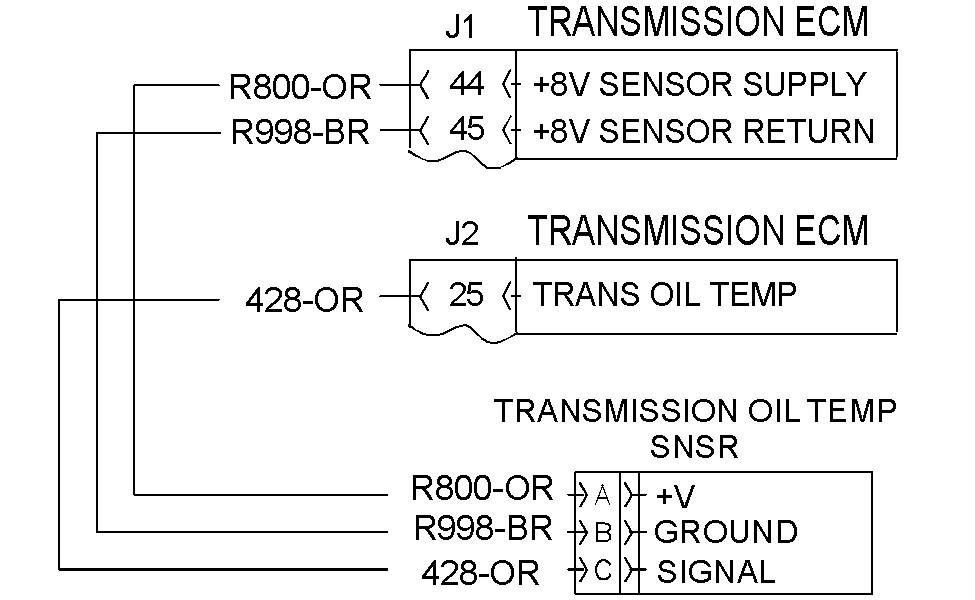
- Contact A: R800-OR, orange supply wire
- Contact B: R998-BR, brown return wire
Expected result: Approximately 8 VDC
- Approximately 8 VDC: Continue to Test 4.
- Incorrect voltage: Continue to Test 2.
Test 2: Check the Supply Circuit
With the switches still ON and the sensor disconnected, measure voltage from:
- Contact A, R800-OR
- To machine ground
Expected result: Approximately 8 VDC
- Correct: Continue to Test 3.
- Incorrect: Repair or replace the supply circuit.
An ECM failure is possible but uncommon.
Test 3: Check the Return Circuit
- Turn the key switch and disconnect switch OFF.
- Leave the sensor disconnected.
- Disconnect ECM connector J1.
- Install a jumper from sensor contact B to ground.
- Measure resistance between:
- ECM J1-45, R998-BR
- Machine ground
Expected result: Less than 5 kΩ
- Less than 5 kΩ: The return circuit is acceptable.
- More than 5 kΩ: Repair the open or high-resistance return circuit.
Use the CAT ET Wiggle Test to check for intermittent wiring faults. Move the harness and connectors while monitoring the circuit for momentary opens or shorts.
Test 4: Check the Signal Circuit for an Open
- Turn both switches OFF.
- Disconnect ECM connectors J1 and J2.
- Install a jumper between sensor contacts:
- Contact C: 428-OR, orange signal wire
- Contact B: R998-BR, brown return wire
- Measure resistance between:
- ECM J2-25, 428-OR
- ECM J1-45, R998-BR
Expected result: Less than 5 kΩ
- Less than 5 kΩ: Continue to Test 5.
- More than 5 kΩ: Repair the open signal circuit.
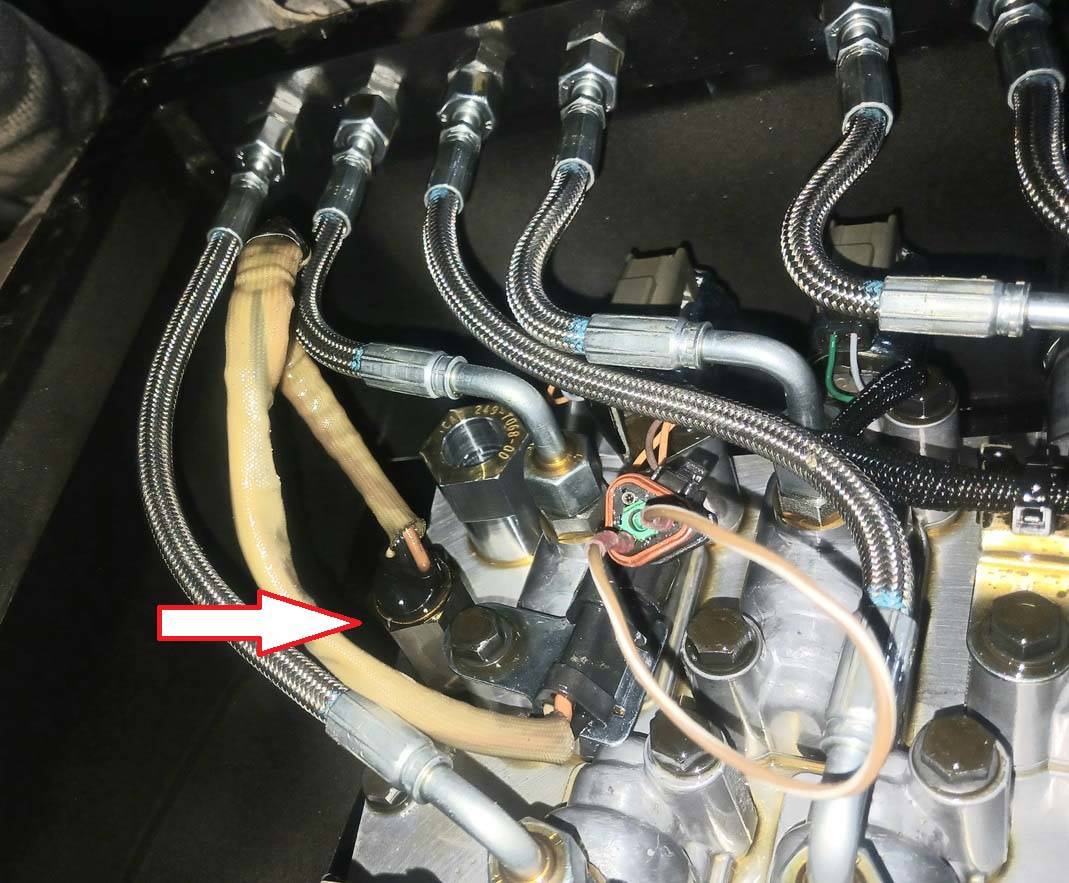
Test 5: Check the Signal Circuit for a Short
- Keep the switches OFF.
- Leave ECM connectors J1 and J2 disconnected.
- Remove the jumper from sensor contacts B and C.
- Measure resistance between ECM J2-25 and every other terminal in the J1 and J2 connectors.
Expected result: Each measurement should be greater than 5 kΩ.
- All readings above 5 kΩ: The wiring is acceptable. Replace the transmission oil temperature sensor.
- Any reading below 5 kΩ: Repair the shorted signal circuit.
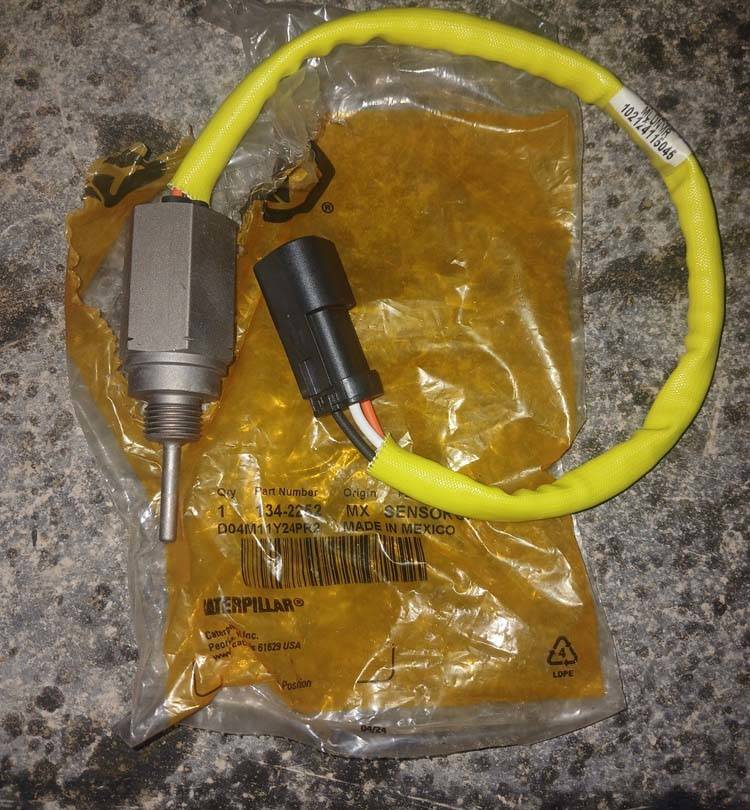
The referenced replacement sensor is:
Caterpillar part number 134-2252
Confirm part compatibility using the machine model and serial number before ordering.
Final Verification
After completing the repair:
- Reconnect the sensor and ECM connectors.
- Clear active and logged diagnostic codes with CAT ET.
- Start the machine.
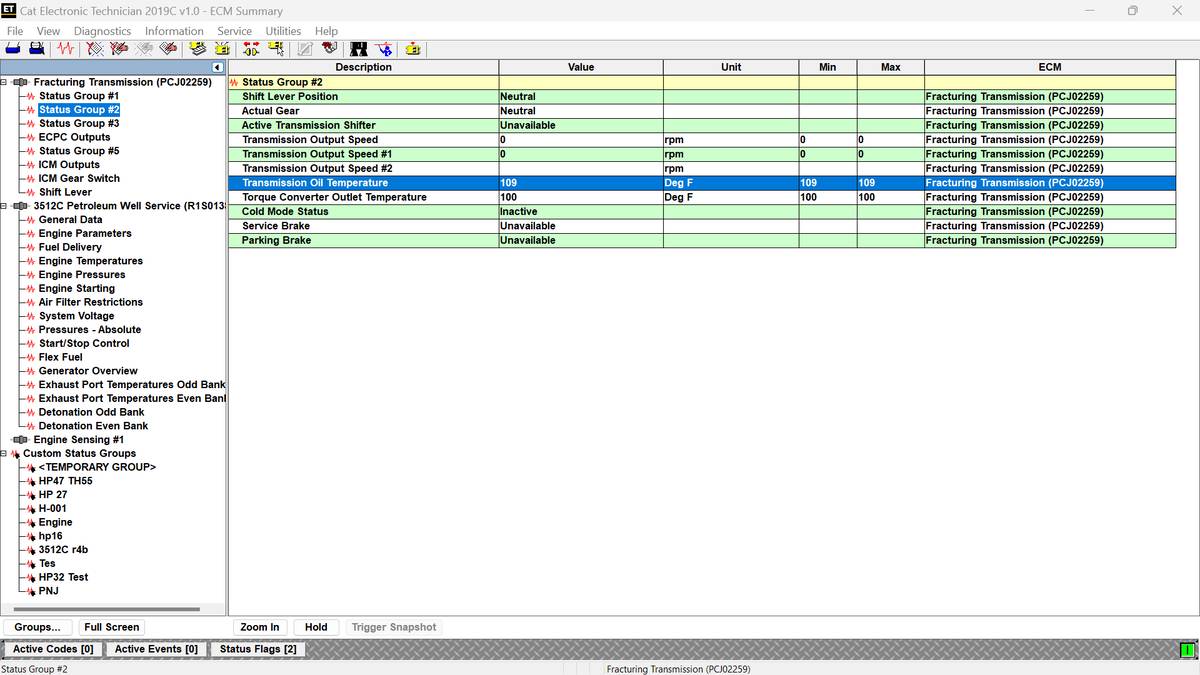
- Monitor transmission oil temperature data.
- Perform a CAT ET Wiggle Test.
- Confirm that SPN 177 FMI 3 does not return.
Conclusion
SPN 177 FMI 3 is usually caused by a wiring fault, disconnected sensor, or failed transmission oil temperature sensor. Check the 8-volt supply, return circuit, signal continuity, and shorts before replacing the ECM. ECM replacement should only be considered after the sensor and complete wiring harness have passed all tests.
Leave a Reply