Introduction
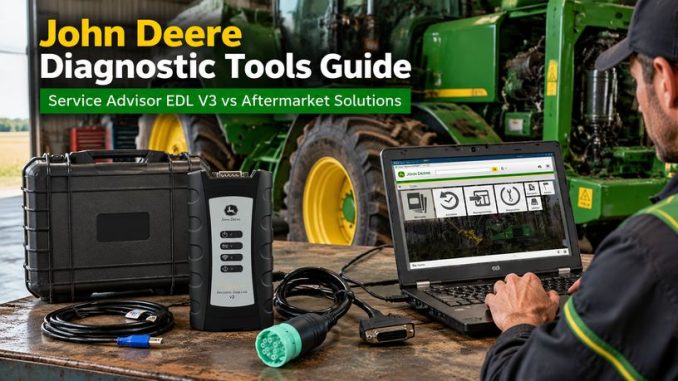
Modern John Deere agricultural and construction equipment relies heavily on electronic control systems. From engine ECMs and transmission controllers to hydraulic systems and aftertreatment modules, many machines store important diagnostic information that cannot always be accessed through the instrument display.
For many independent repair shops, owners, and fleet technicians, this creates a common challenge:
How can you diagnose John Deere equipment without relying entirely on a dealership?
Unlike automotive diagnostics, heavy equipment diagnostics are often more restricted because manufacturers control access to software, service information, and communication interfaces.
This guide explains the available John Deere diagnostic solutions, including factory-based tools, aftermarket diagnostic platforms, and what technicians should consider before choosing a solution.
Why John Deere Diagnostics Can Be Challenging
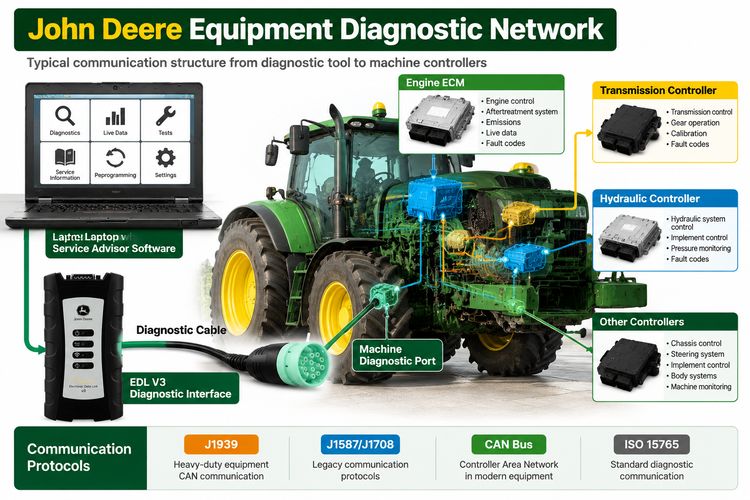
Many John Deere machines use multiple electronic controllers communicating through networks such as:
- CAN bus
- J1939
- J1587/J1708
- ISO communication protocols
A basic fault code reader may only display:
- Active fault codes
- Stored fault codes
- Basic parameter information
However, professional troubleshooting often requires much more:
- Component testing
- Sensor monitoring
- Calibration procedures
- Guided diagnostics
- Electrical troubleshooting information
- System diagrams
That is why many technicians find a simple scan tool isn’t enough for modern agricultural and construction equipment.
John Deere Service Advisor: The Factory-Level Diagnostic Solution
The John Deere Service Advisor platform is the diagnostic software environment used for Deere equipment service.
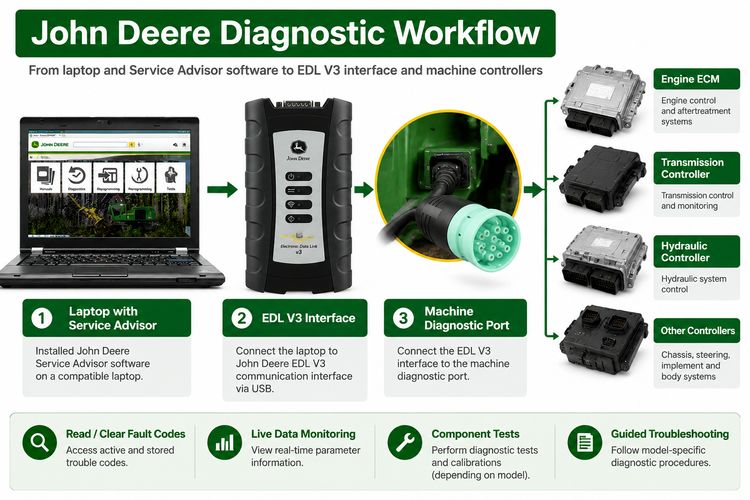
With a compatible Electronic Data Link (EDL) interface, it lets technicians communicate with machine controllers and perform advanced diagnostics.
Typical capabilities include:
Fault Code Diagnostics
Technicians can:
- Read active and stored trouble codes
- View fault descriptions
- Check related system information
Live Data Monitoring
Depending on machine model and supported functions, technicians may access:
- Engine parameters
- Sensor values
- Controller information
- Communication status
Guided Troubleshooting
One of Service Advisor’s biggest advantages is its structured troubleshooting information.
Instead of only showing:
“Engine fault detected”
the system can provide diagnostic procedures that guide technicians through:
- Possible causes
- Testing steps
- Required measurements
- Repair procedures
John Deere EDL V3 Diagnostic Kit for Independent Technicians
Workshops that frequently service Deere equipment often prefer a dedicated interface solution.
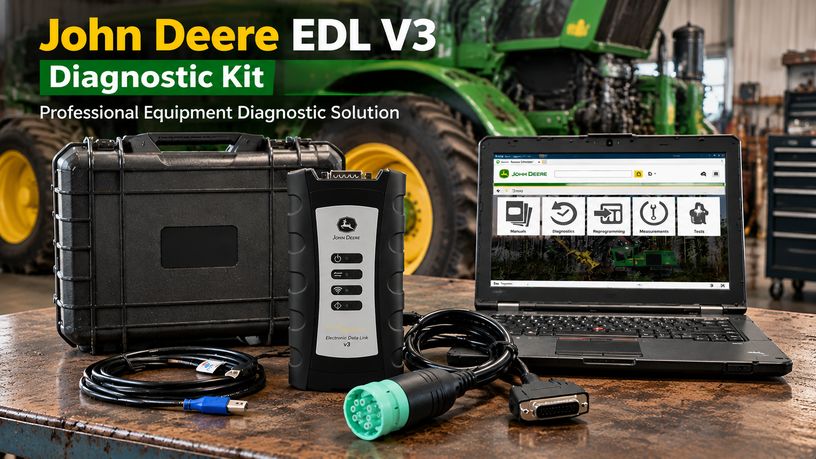
A typical John Deere EDL V3 diagnostic kit includes:
- John Deere EDL V3 communication interface
- Diagnostic software environment
- Compatible laptop setup
Product example:
John Deere Service Advisor EDL V3 Adapter Plus Lenovo Laptop:
https://www.obdii.shop/goods-237-John-Deere-Service-Advisor-EDL-V3-Lenovo-T420-Laptop.html
This setup is designed for technicians who need deeper access than standard multi-brand scanners provide.
Aftermarket John Deere Diagnostic Options
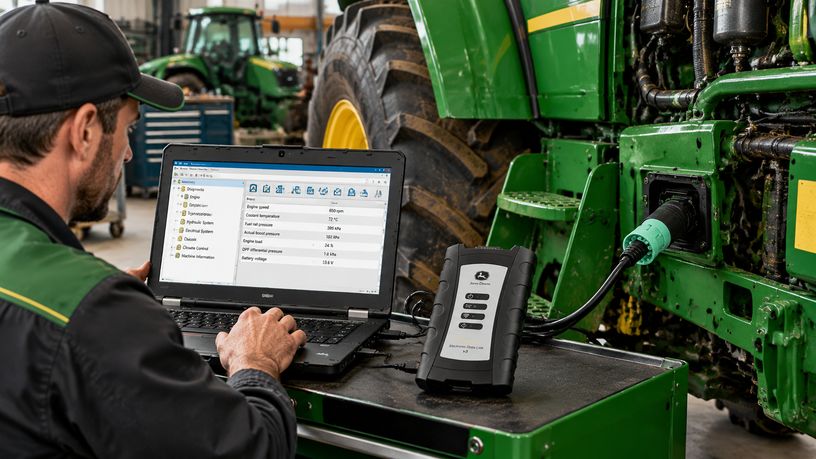
Not every repair shop needs full factory-level functionality. Depending on repair needs, aftermarket solutions may be a better fit.
1. Multi-Brand Heavy Equipment Diagnostic Tools
Some independent diagnostic platforms support John Deere engine systems along with other brands.
Advantages:
- Multi-brand coverage
- One tool for multiple equipment manufacturers
- Useful for mixed fleets
Examples include:
- TEXA Off-Highway
- Cojali/Jaltest Off-Highway solutions
These platforms can be useful for:
- Fault code reading
- Parameter viewing
- Basic diagnostics
However, coverage depends heavily on:
- Equipment model
- Year
- Controller type
- Available communication data
2. Heavy Truck Diagnostic Tools With J1939 Support
Some heavy-duty diagnostic systems can communicate with Deere-powered equipment using standard protocols.
For example, tools such as JPRO can provide:
- Fault code reading
- Code clearing
- Basic parameter information
They are especially useful when working with:
- Commercial trucks
- Industrial engines
- Mixed fleets
However, technicians should understand that:
Reading engine faults is not the same as performing complete machine diagnostics.
Many Deere-specific functions require manufacturer-level information.
Factory Tool vs Aftermarket Tool: Which One Should You Choose?
| Function | John Deere Service Advisor | Aftermarket Multi-brand Tool |
|---|---|---|
| Read fault codes | Yes | Yes |
| Clear fault codes | Yes | Yes |
| Live data | Yes | Depends on model |
| Guided troubleshooting | Strong | Limited |
| Model-specific procedures | Yes | Limited |
| Multi-brand coverage | Limited | Strong |
| Dealer-level functions | Highest availability | Usually limited |
Important Considerations Before Buying a John Deere Diagnostic Tool
1. Check Machine Compatibility
John Deere equipment changes significantly between generations.
Before purchasing, confirm:
- Machine model
- Production year
- Controller type
- Required communication protocol
A tool that works on one machine may not support another.
2. Understand Software and Update Limitations
OEM diagnostic systems are continuously updated as new equipment is released.
Independent users should consider:
- Software update availability
- Database coverage
- Technical support
- Future compatibility
3. Diagnostic Tools Do Not Replace Repair Experience
A diagnostic interface provides information, but technicians still need:
- Electrical testing skills
- Hydraulic knowledge
- Mechanical experience
- Manufacturer procedures
A fault code points to an area to investigate; it doesn’t always identify the failed component.
Common Questions About John Deere Diagnostic Tools
Can aftermarket scanners diagnose John Deere equipment?
Yes, some aftermarket tools can communicate with John Deere systems, especially for engine diagnostics and standard communication protocols. However, coverage and functions vary by model.
Is John Deere Service Advisor better than a universal scanner?
For Deere-specific troubleshooting, Service Advisor generally provides deeper model-related information. Universal scanners are usually better for technicians who work on multiple brands.
Can JPRO diagnose John Deere machines?
JPRO can communicate with some equipment systems using supported protocols, but it should not be considered a complete replacement for John Deere-specific diagnostic solutions.
What interface is needed for John Deere Service Advisor?
A compatible John Deere Electronic Data Link (EDL) interface is required for communication with supported machines.
Conclusion
John Deere diagnostic access remains an important topic for independent repair shops and equipment owners.
The right solution depends on your repair needs:
- For Deere-focused service work, a John Deere Service Advisor setup provides deeper diagnostic capability.
- For mixed fleets, aftermarket platforms such as TEXA, Cojali, or heavy-duty diagnostic systems may provide broader coverage.
- For simple engine fault diagnosis, J1939-based diagnostic tools may be sufficient.
Before purchasing any diagnostic equipment, always verify supported models, functions, communication interfaces, and software availability.
For technicians who regularly service John Deere agricultural and construction equipment, investing in the correct diagnostic platform can significantly reduce downtime and dependence on dealer-only troubleshooting.
Recommended Product
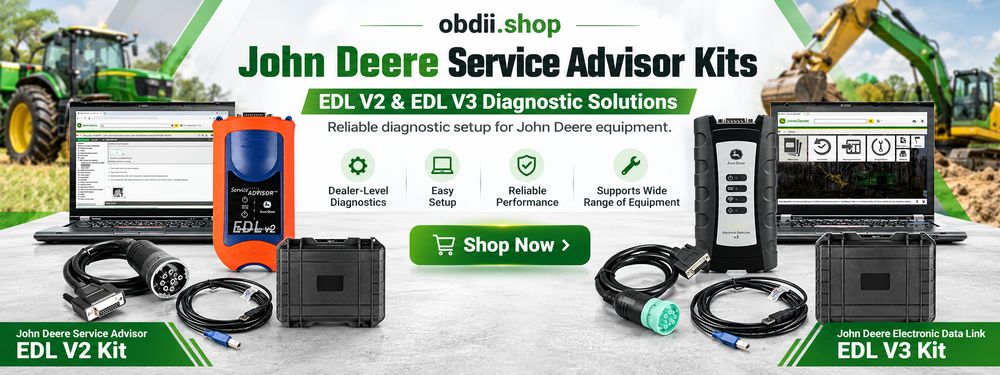
John Deere Service Advisor EDL V3 Diagnostic Kit with Laptop
https://www.obdii.shop/goods-237-John-Deere-Service-Advisor-EDL-V3-Lenovo-T420-Laptop.html
John Deere Service Advisor EDL V2 Diagnostic Kit with Laptop
https://www.obdii.shop/goods-318-John-Deere-Service-Advisor-EDL-V2-With-Lenovo-T450-Laptop.html
Leave a Reply