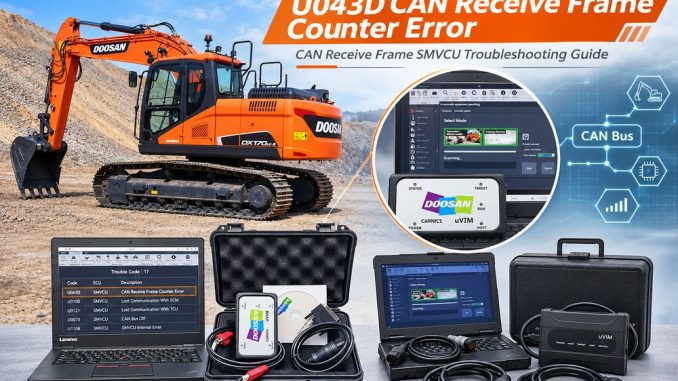
Doosan fault code U043D indicates a message counter error in the CAN receive frame SMVCU, which carries pedal and engine speed demand information from the Vehicle Control Unit (VCU).
When this fault occurs, the machine’s CE warning lamp may illuminate, and the engine may enter Torque Reduction Level 1 (Mild). The problem is generally associated with an electrical issue in the VCU or an abnormal CAN communication network, including wiring insulation and resistance problems.
This guide explains what U043D means, why it occurs, and how to troubleshoot the ECU, VCU, and CAN communication circuit step by step.
1. Doosan U043D Fault Code Overview
The U043D fault is monitored continuously by the machine’s electronic control system.
| Item | Description |
|---|---|
| Fault Code | U043D |
| SPN | 65400 |
| FMI | 23 |
| Doosan E Code | E065400-23 |
| Fault Description | Message Counter Error of CAN Receive Frame SMVCU |
| Related Signal | Pedal and engine speed demand from VCU |
| Warning Indicator | CE Lamp ON |
| Engine Effect | Torque Reduction Level 1 (Mild) |
Main Causes of U043D
According to the Doosan G2 Stage5 troubleshooting guide, the main possible causes are:
- Electrical problems in the VCU or an abnormal communication network.
- Electrical problems in the CAN wiring harness, including insulation damage or abnormal resistance.
Other areas to inspect during troubleshooting include ECU connections, ECU software version, VCU connectors, and CAN-H/CAN-L wiring.
What Does the CAN Receive Frame Counter Error Mean?
The CAN communication system transfers information between electronic control modules.
Certain CAN messages include a rolling counter to help the receiving controller verify that messages arrive in the expected sequence.
When the received rolling counter does not match the expected value, the controller identifies a message counter error and records fault code U043D.
This does not automatically mean that the pedal module or VCU is defective. An unstable communication network, damaged wiring, poor electrical connections, or an ECU-related issue may also cause the fault.
2. Component Location
The fault involves the communication signal between the VCU and the receiving controller.
The pedal module location and its electrical connector depend on the specific Doosan machine application.
Before inspecting or disconnecting any component, consult the electrical wiring diagram and service documentation for the machine’s exact model and serial number.
Pay particular attention to:
- Engine ECU connectors
- Vehicle Control Unit (VCU) connectors
- Pedal module wiring and connectors
- CAN-H and CAN-L communication wiring
- Harness routing between the control modules
Do not assume that every Doosan excavator uses the same connector location or wiring arrangement.
3. Conditions for Running the Diagnostic
The U043D monitoring function is continuously checked during each diagnostic sampling cycle.
The controller evaluates the rolling counter of the received SMVCU CAN frame.
If the received counter value does not match the expected rolling counter, the controller reports the fault.
4. Conditions for Clearing the Fault Code
The fault is considered recovered when the controller receives a CAN frame with the correct rolling counter dataset.
This means that simply erasing the fault code may not solve the underlying problem.
If the communication problem remains, U043D may return during subsequent diagnostic cycles.
5. Step-by-Step Troubleshooting for Doosan U043D
Follow the inspection sequence below to identify the source of the communication problem.
Step 1: Confirm Fault Code U043D Using a Diagnostic Tool
Connect a compatible Doosan diagnostic tool to the machine.
- Establish communication with the machine.
- Read the ECU fault codes.
- Confirm whether U043D is present.
- Check whether the fault is active or stored.
- Record any additional communication-related fault codes.
If U043D is detected, proceed to Step 2.
Recommended Doosan Diagnostic Software
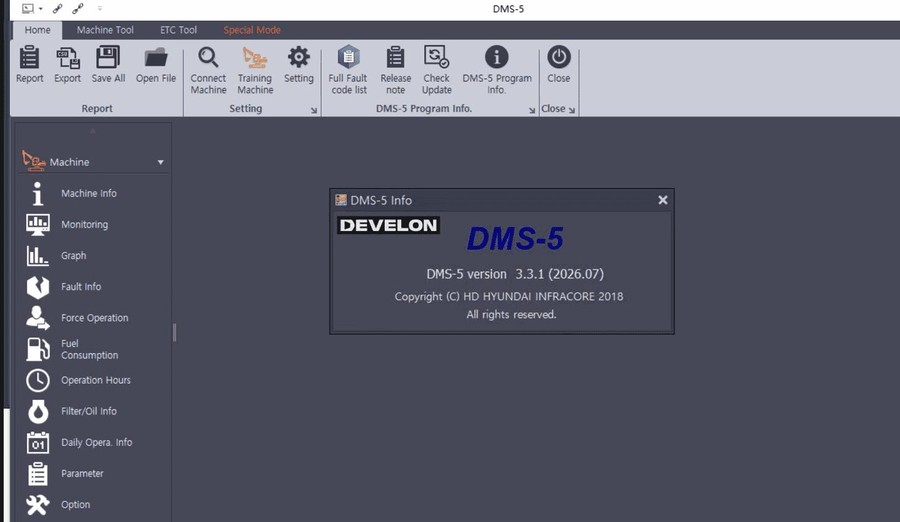
For Doosan machines, the 2026.08 DOOSAN (DEVELON) DMS 5 – 3.3.1 Diagnostic Software provides monitoring and diagnostic information for supported EPOS and VCU controllers.
It allows technicians to:
- Monitor the current status of EPOS or VCU controllers.
- View major excavator and wheel loader sensor data in graphical format.
- Check current and historical controller malfunction information.
- Analyze machine operating data and performance.
Check the supported machine models and communication cable requirements before purchasing.
Get the Doosan DMS-5 Diagnostic Software V2026.08.
Step 2: Move the Machine to a Safe Area and Turn the Key OFF
Before inspecting electrical connections:
- Park the machine in a safe, level working area.
- Lower the attachment to the ground.
- Apply the parking brake where equipped.
- Stop the engine.
- Turn the ignition key OFF.
Follow the machine manufacturer’s battery isolation and electrical safety procedures before disconnecting control module connectors.
Step 3: Check the ECU Connection and Software Version
Inspect the engine ECU electrical connections.
Check the following items:
- ECU connector is securely connected.
- Connector terminals are undamaged and not bent.
- No corrosion, moisture, or contamination is present.
- Connector locking mechanisms are functioning correctly.
- Wiring harness insulation is not damaged.
- No loose or intermittent electrical connections are present.
Also verify that the ECU software version matches the machine configuration.
If you identify an ECU connection problem or an incorrect software configuration, perform the necessary repair or correction according to the manufacturer’s service procedure.
After completing the repair, continue with diagnostic verification.
If you find no ECU connection problem, proceed to Step 4.
Step 4: Check the VCU Connection
Inspect the Vehicle Control Unit (VCU) and its electrical connections.
Pay attention to:
- Loose or improperly seated connectors.
- Damaged connector terminals.
- Corrosion or water intrusion.
- Broken or deteriorated wiring insulation.
- Poor terminal contact.
- Intermittent connections caused by vibration.
Check the VCU wiring against the machine-specific electrical diagram.
If you find a connection problem, repair it and repeat the diagnostic test.
If the VCU connection is normal, proceed to Step 5.
Step 5: Check the CAN Communication Network
Inspect the CAN communication circuit, particularly the CAN-H and CAN-L wiring.
The following checks are recommended:
1. Inspect the CAN wiring harness
Look for:
- Damaged or cut insulation.
- Wires rubbed against the machine frame.
- Crushed or stretched wiring.
- Loose or damaged connectors.
- Incorrect previous wiring repairs.
- Signs of water intrusion or corrosion.
2. Check CAN-H and CAN-L resistance
Use an appropriate digital multimeter to check the communication circuit resistance.
Follow the correct Doosan wiring diagram and testing procedure for the specific machine.
Make sure the electrical system is powered down and the relevant modules are isolated as required by the manufacturer’s procedure.
Do not apply a universal resistance specification to every Doosan machine. Confirm the correct test conditions and resistance values for the specific CAN network.
3. Check for wiring faults
Inspect the communication circuit for:
- Open circuits.
- Short circuits between CAN-H and CAN-L.
- Shorts to ground.
- Shorts to battery voltage.
- Abnormal resistance or intermittent connections.
Repair any confirmed wiring or network problem.
If the CAN network is normal but U043D remains active, contact Doosan technical support or an authorized service technician for further diagnosis.
6. What If U043D Returns After Repair?
If the fault returns after inspecting the ECU, VCU, and CAN wiring, do not replace the control modules immediately.
Further diagnosis may be required.
Recommended checks include:
- Reconfirm the ECU and VCU software configuration.
- Check for other active CAN communication faults.
- Inspect the network under the operating conditions that trigger the fault.
- Use appropriate diagnostic equipment to evaluate CAN communication quality.
- Compare the measured results with the manufacturer’s specifications.
If the wiring and connections are confirmed to be normal, further controller-level diagnosis may be necessary.
Avoid replacing the ECU or VCU without confirming the source of the communication failure.
7. Recommended Doosan Diagnostic Tools
Accurate fault-code identification and communication testing are important when troubleshooting Doosan electronic control systems.
For workshops servicing Doosan excavators, wheel loaders, and other supported equipment, consider the following diagnostic solutions.
Doosan DDT / G2 Scan / DMS-5 Diagnostic Tool
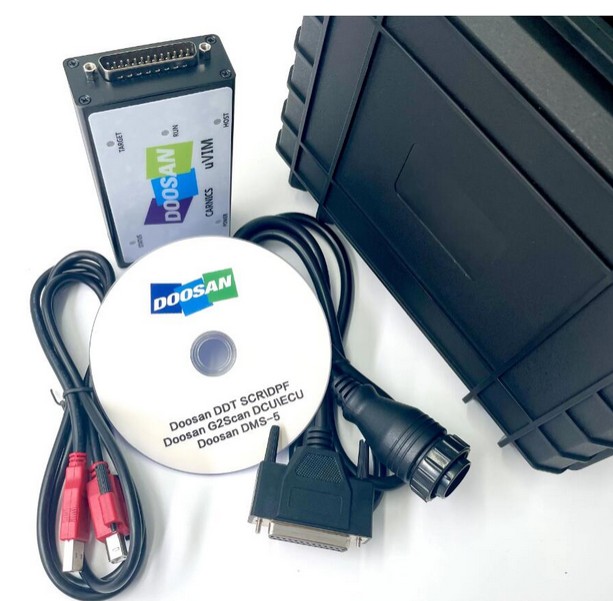
The Doosan Excavator Inspection Diagnostic Tool DDT SCR DPF G2 Scan DCU ECU DMS-5 combines diagnostic hardware and software for supported Doosan equipment.
Its listed functions include:
- ECU fault code reading and descriptions.
- Doosan DDT SCR and DPF diagnostics.
- G2 Scan DCU and ECU diagnostics.
- DMS-5 service data monitoring.
- Engine and electronic sensor parameter monitoring.
- ECU information and supported diagnostic functions.
This solution helps technicians identify machine faults and investigate electronic control system problems.
Doosan uVIM Diagnostic Tool
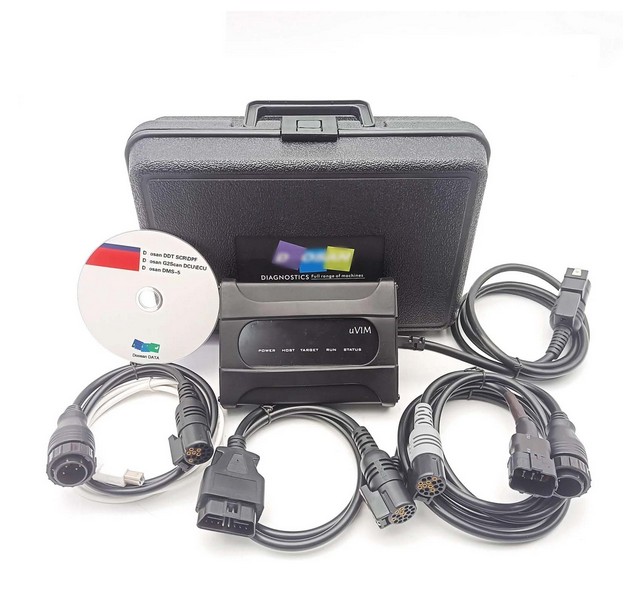
For workshops that need additional engine diagnostics and testing functions, consider the Doosan uVIM Diagnostic Tool with DMS-5 Software.
Its listed functions include:
- Engine fault code reading.
- Service data monitoring and data logging.
- Engine and electrical sensor parameter display.
- Engine data freeze-frame information.
- Engine shut-off and run-up tests.
- Compression testing.
- ECU information and supported EOL functions.
Before purchasing either solution, confirm compatibility with your machine model, engine family, controller configuration, and required software version.
8. U043D vs Other Doosan CAN Communication Fault Codes
Some Doosan CAN communication faults involve the same SMVCU message but indicate different types of communication errors.
| Fault Code | FMI | Description |
|---|---|---|
| U043D | 23 | CAN receive frame message counter error |
| U013C | 22 | CAN receive frame checksum error |
| U0608 | 19 | CAN receive frame timeout error |
Understanding the difference helps technicians avoid confusing a counter error with a checksum or communication timeout problem.
9. Frequently Asked Questions
Q1: What causes Doosan fault code U043D?
U043D is generally associated with an abnormal VCU communication network or CAN wiring problems. Check ECU connections, software configuration, VCU connections, and CAN-H/CAN-L resistance.
Q2: Does U043D mean the pedal module is defective?
Not necessarily. The pedal module location and connection depend on the machine application. U043D indicates a rolling counter mismatch in the SMVCU CAN receive frame. Inspect the communication circuit before replacing the pedal module.
Q3: Can U043D cause engine power reduction?
Yes. The Doosan G2 Stage5 troubleshooting guide identifies CE lamp activation and Torque Reduction Level 1 (Mild) as the effects associated with this fault.
Q4: Will clearing the fault code solve the problem?
Not necessarily. The fault is considered recovered when the controller receives the correct rolling counter dataset. If the communication problem remains, the code may return.
Q5: Which diagnostic tool can read Doosan U043D?
A compatible Doosan DDT or G2 Scan diagnostic setup can identify supported ECU fault codes. Always verify the machine and software compatibility before connecting.
Conclusion
Doosan fault code U043D indicates a CAN receive frame message counter error involving the SMVCU signal for pedal and engine speed demand from the VCU.
The recommended troubleshooting sequence is:
- Confirm U043D using a compatible diagnostic tool.
- Move the machine to a safe area and turn the key OFF.
- Inspect the ECU connection and software version.
- Check the VCU electrical connection.
- Inspect the CAN-H/CAN-L wiring and resistance.
- Repair any identified electrical or communication problems and verify the result.
Following this diagnostic sequence can help technicians identify the cause of U043D without unnecessarily replacing expensive electronic control modules.
For additional Doosan diagnostic information, visit the Doosan Trouble Repair section on the OBDII.SHOP blog.
Leave a Reply