When repairing or replacing a Peugeot Body System Interface (BSI), backing up the original module data is an important first step. This test demonstrates how the I-Flash OBD Programmer / BCM Tool communicates with a Peugeot 3008 MK1 (2008–2016) Johnson Controls BSI04EV module on the bench.
The article shows the complete EEPROM read workflow and then starts reading the MCU flash memory.
Vehicle
Peugeot 3008 MK1
Model Years
2008–2016
System
Body System Integration
BSI Family
JC BSI04EV-K0X-00
Hardware Selection
Johnson Controls BSI04EV-K04-00
EEPROM Target
95128
Additional Target
MCU ARM easyCAN4F IM-32 FLASH
Method Shown
Bench connection
1. Connect the Peugeot BSI to iFlash
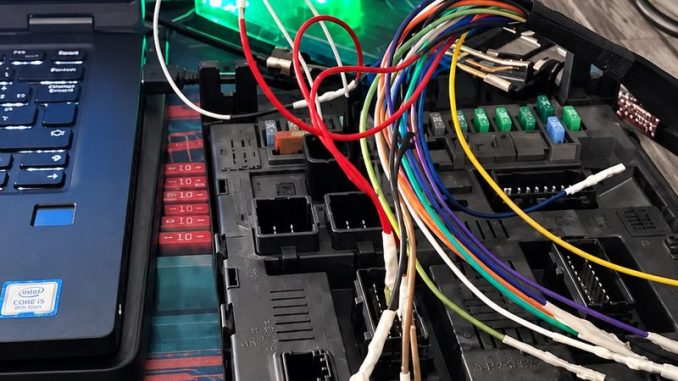
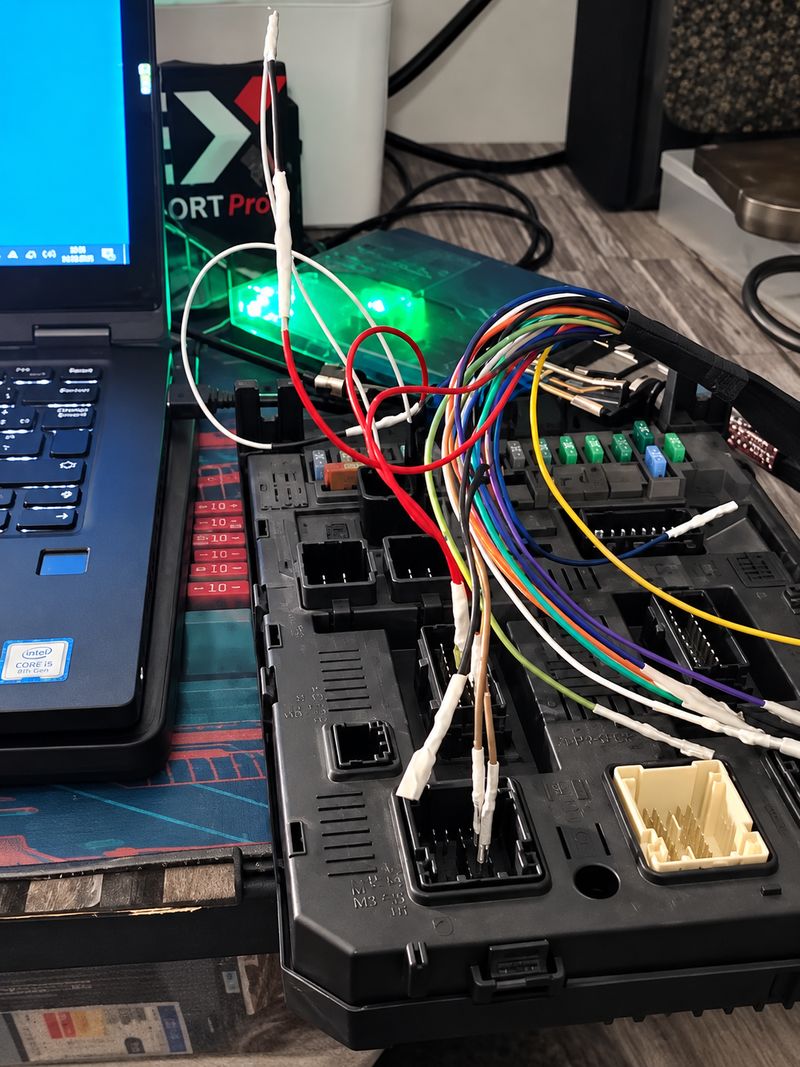
The test starts with the Peugeot BSI removed from the vehicle and connected to the programming setup on the workbench.
A laptop, iFlash interface, BSI module and connection harness are visible.
2. Read the BSI EEPROM
The first memory target demonstrated is:
EEPROM 95128
The software connects successfully to the BSI and performs the read operation. iFlash reports that the ECU read is complete and asks whether to save the file.
3. Confirm the Correct Peugeot 3008 BSI Profile
The software then returns to the vehicle/module selection screen.
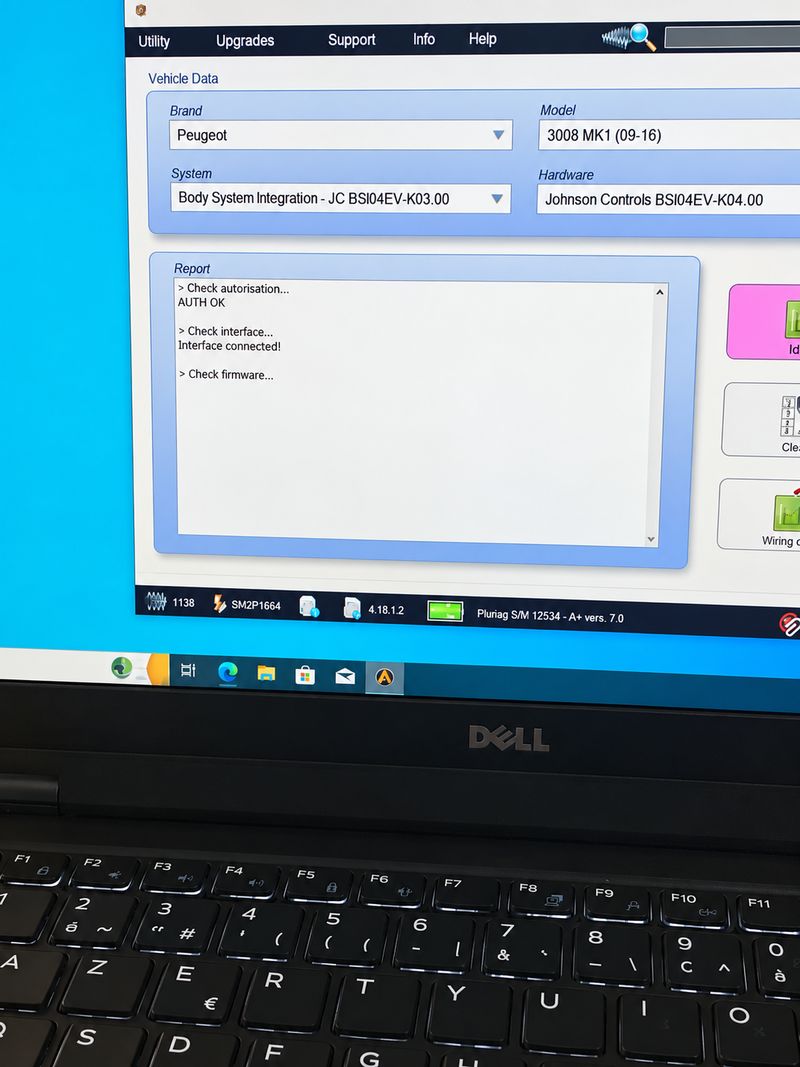
The following selections are clearly visible:
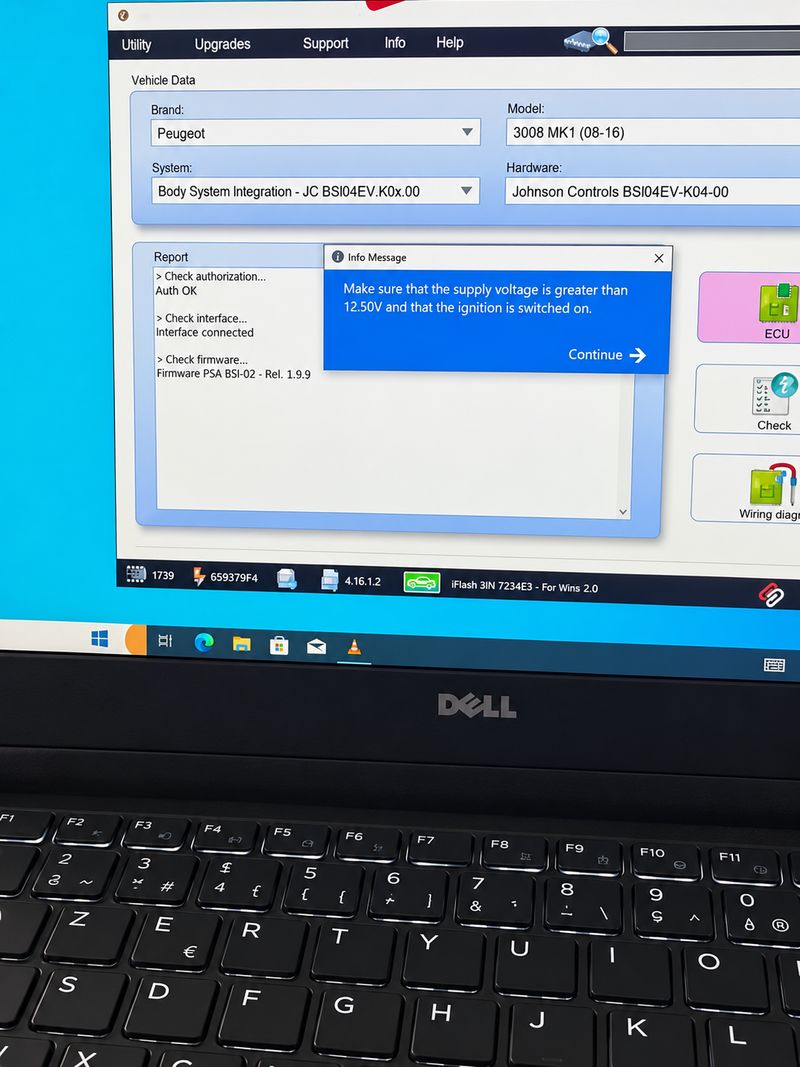
Brand: Peugeot Model: 3008 MK1 (08–16) System: Body System Integration – JC BSI04EV-K0X-00 Hardware: Johnson Controls BSI04EV-K04-00
4. Check Power Before Communication
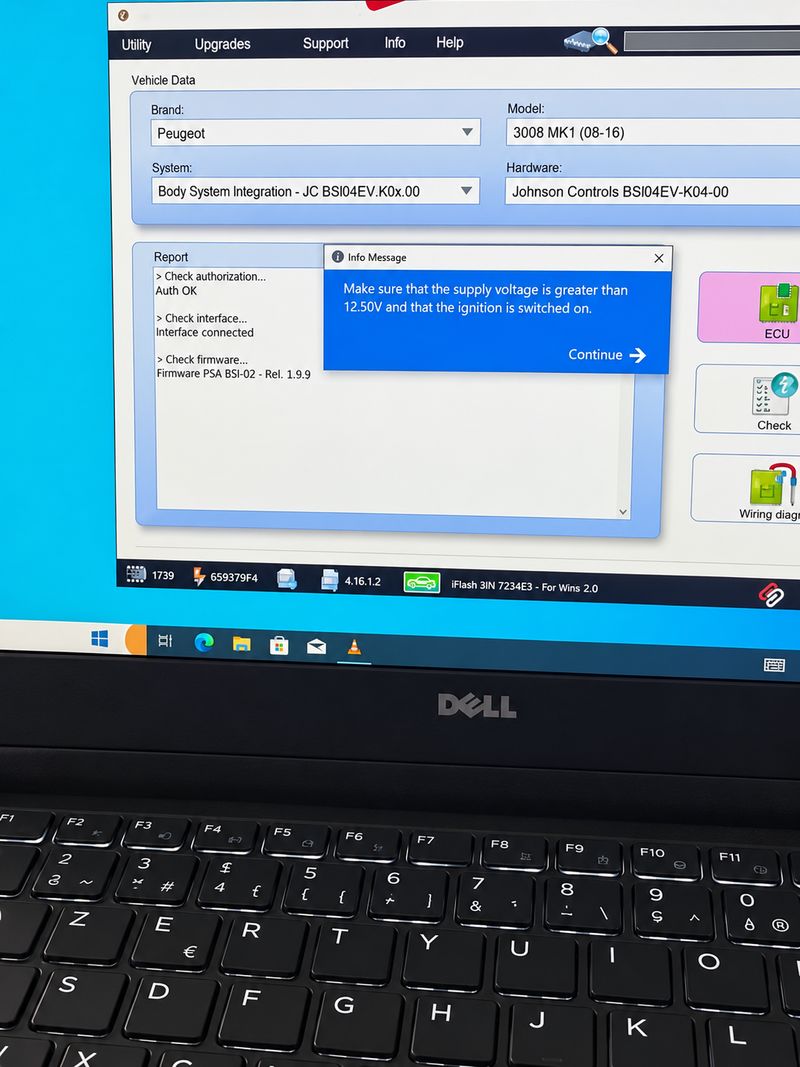
iFlash displays a supply-voltage warning. The software instructs the technician to make sure the supply voltage is above approximately 12.5 V before continuing.
iFlash power-supply check before communicating with the Peugeot BSI.
For BSI reading or writing, stable power is critical. Avoid disconnecting the interface, USB connection or module power while communication is active.
5. Identify the Johnson Controls BSI
iFlash successfully identifies the module and displays:
“ECU identified correctly.”
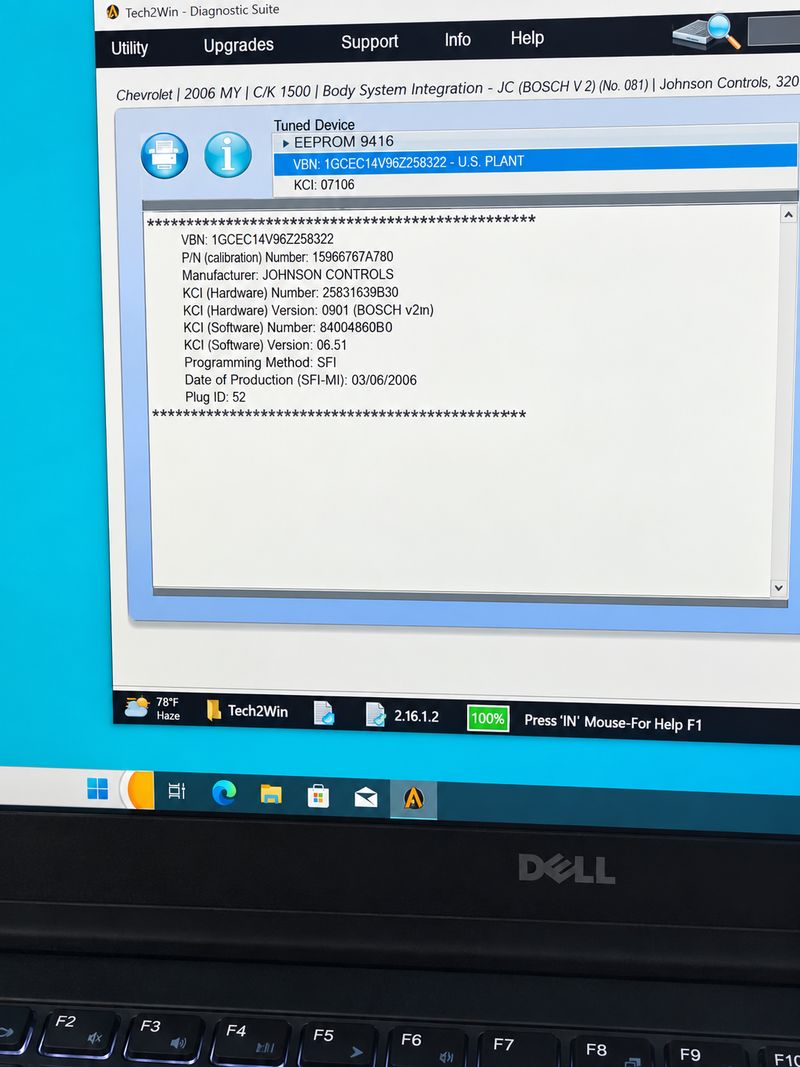
The information panel also identifies the manufacturer as Johnson Controls and displays hardware/software information for the connected BSI.
Before publishing this screenshot, blur or crop the VIN and any vehicle-specific identification information.
6. Select EEPROM or MCU Flash
After identification, iFlash allows the technician to select the memory area to work with.
The Target Device menu shows the available memory targets, including:
EEPROM 95128
MCU ARM easyCAN4F IM-32 FLASH
Selects the MCU flash target for the next operation.
7. Follow the BSI Operating-Mode Prompt
iFlash displays another important message regarding ECO/COM mode and instructs the operator to cycle the ignition if the specified condition is present.
This illustrates why technicians should follow the on-screen procedure rather than treating every Peugeot BSI as having an identical connection sequence.
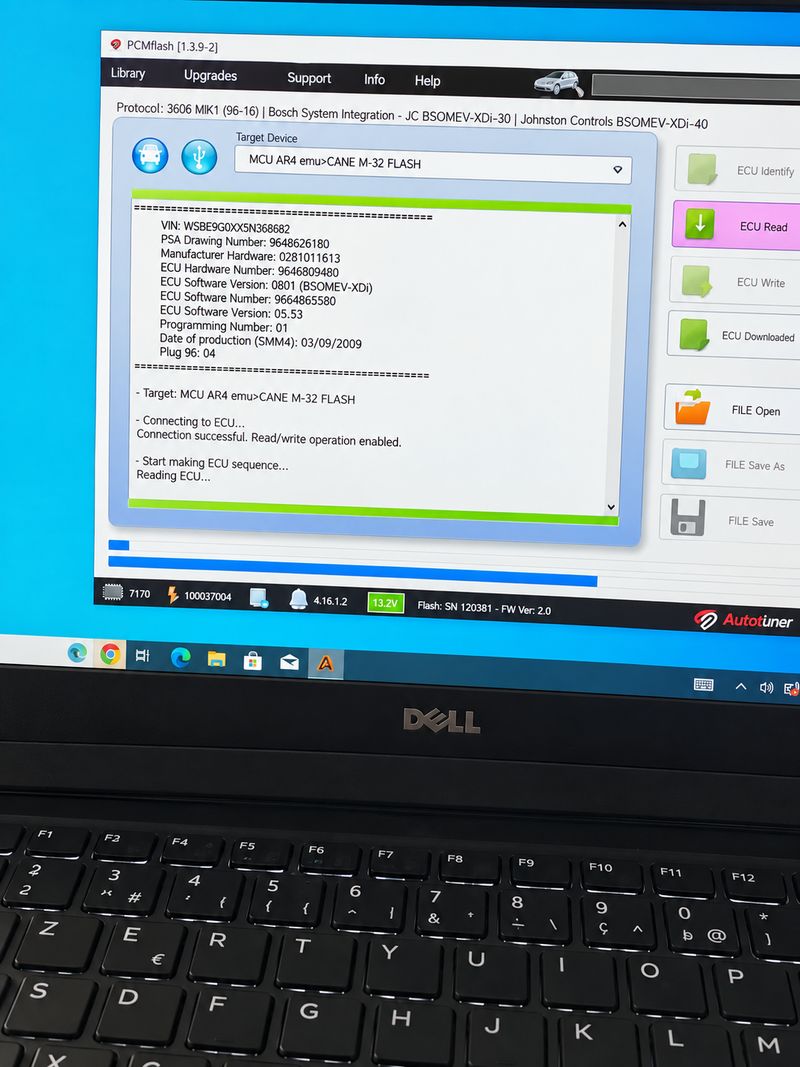
8. Establish Communication and Start the MCU Read
The status window reports successful communication with the BSI and indicates that read/write operation is enabled.
The MCU read then begins.
The progress bar clearly shows the flash-reading operation underway.
The completed EEPROM read, however, is clearly demonstrated earlier.
Important Precautions Before Reading or Writing a BSI
For professional BSI work, first verify the exact vehicle, BSI family and hardware version. Maintain stable power throughout the procedure and keep the original EEPROM/flash backup unchanged.
Do not interrupt power or communication during a write operation. Perform vehicle-security or immobiliser-related functions only on vehicles you own or are authorised to repair.
I-Flash Programmer for Peugeot BSI Reading and Programming
The tool used in this Peugeot 3008 BSI04EV test is the I-Flash OBD Programmer / BCM Tool.
I-Flash is designed for body computer and ECU service work and supports both OBD/serial communication and bench operations with the appropriate adapter and cable. Its published protocol list includes PSA Body System Integration (BSI) applications, while available functions include cloning, PIN-code reading, ECU transformation/adaptation and other supported BCM/ECU operations. Actual functions depend on the selected vehicle, module and protocol.
For the Peugeot 3008 MK1 demonstrated in this guide, I-Flash is used on the bench to identify the Johnson Controls BSI, read the EEPROM 95128, and access the supported MCU flash target.
Before ordering: confirm the exact vehicle, model year, BSI/BCM hardware number and required function against the current I-Flash support list. The product page currently specifies Windows 10/11 64-bit requirements and lists PSA BSI among its supported protocol families.
Conclusion
This iFlash demonstration confirms a practical bench workflow for a Peugeot 3008 MK1 (2008–2016) Johnson Controls BSI04EV-K0X-00.
The video shows the BSI connected on the bench, successful reading of the 95128 EEPROM, module identification, selection of the MCU ARM easyCAN4F IM-32 FLASH, successful communication and the start of the MCU flash-reading process.
For technicians working on a replacement or repairable BSI, the safest approach is to identify the exact module, maintain stable power, read and preserve the original data, and only proceed with additional operations after verifying the backup.
Leave a Reply