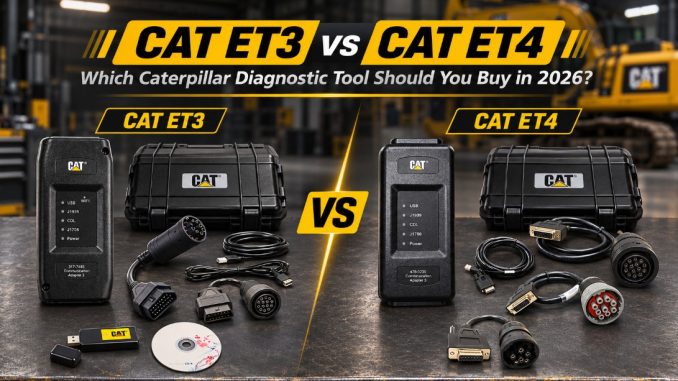
If your shop repairs CAT engines, excavators, dozers, wheel loaders, or generators, the diagnostic tool you pick matters. When you compare CAT ET3 vs CAT ET4, the real questions are usually: which adapter works with Caterpillar Electronic Technician (CAT ET), do both run CAT ET 2026B, and which package gives you the best value?
The answer goes beyond the name on the box. Software compatibility, hardware configuration, cables, ECM communication needs, and your laptop setup all play a part.
Quick answer: CAT ET3 (Caterpillar Communication Adapter III) is a well-established interface for supported Caterpillar equipment. Products sold as CAT ET4 are another option, but you should verify the exact hardware instead of assuming ET4 means more functions. Both OBDII.SHOP listings offer CAT ET 2026B software configurations.
This guide compares the two and helps you decide which package suits you.
1. What Are CAT ET3 and CAT ET4?
First, separate the software from the adapter.
CAT ET (Caterpillar Electronic Technician) is PC-based diagnostic software for communicating with electronically controlled Caterpillar engines and machines. It supports diagnostic and service operations such as reading fault codes, monitoring engine parameters, checking ECM configurations, and running tests.
To reach the machine’s Electronic Control Module (ECM), though, CAT ET normally needs a compatible communication interface between the laptop and the equipment.
CAT ET3: Caterpillar Communication Adapter III
The CAT ET3, often called the Communication Adapter 3 or CA3, connects CAT ET software to supported Caterpillar ECMs. You’ll find it in diesel repair shops, heavy equipment maintenance bays, and industrial service environments.
Depending on the hardware revision and cable setup, communication may involve protocols such as:
- SAE J1939
- SAE J1708/J1587
- Caterpillar Data Link (CDL)
Always select the right interface and cable for the specific machine and ECM.
View CAT ET3 Communication Adapter III at OBDII.SHOP
CAT ET4: Another Adapter Option
“CAT ET4” is a product name used by several aftermarket diagnostic suppliers. OBDII.SHOP offers a CAT ET4 package with CAT ET software, diagnostic cables, and optional preconfigured laptops.
Pay attention to naming, though. Caterpillar dealer documentation identifies the Communication Adapter 3 (CA3) as the recommended communication hardware. An “ET4” label on a retail product isn’t, by itself, proof of a new Caterpillar-approved hardware generation or extra diagnostic capability.
Before you buy a CAT ET4, confirm the actual interface model, supported drivers, connectors, software compatibility, and warranty or technical support terms.
View CAT ET4 Diagnostic Adapter at OBDII.SHOP
2. CAT ET3 vs CAT ET4 at a Glance
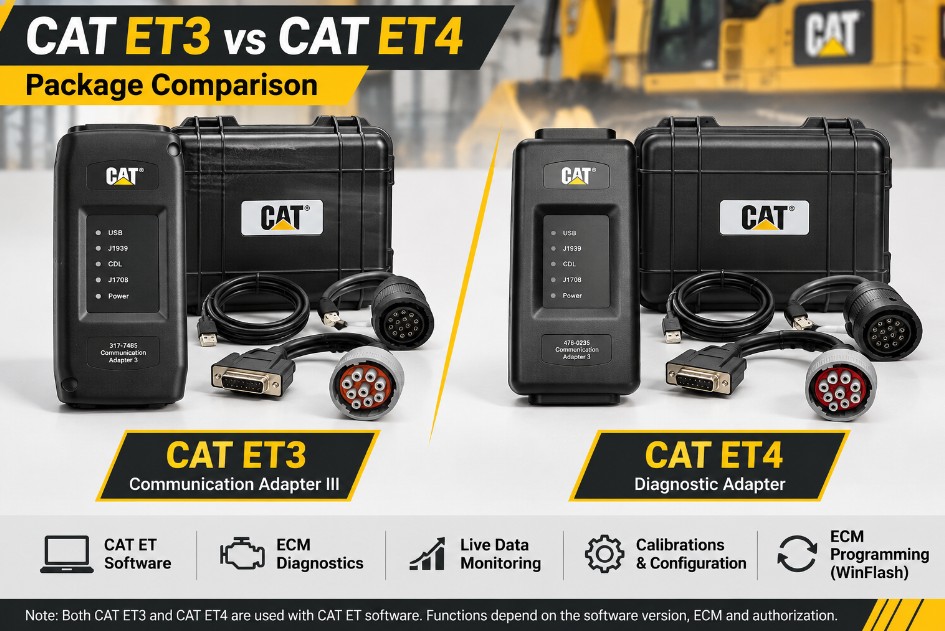
This comparison is based on the CAT ET3 and ET4 packages currently advertised by OBDII.SHOP.
| Feature | CAT ET3 | CAT ET4 |
|---|---|---|
| Product designation | Communication Adapter III | Retail listing labeled ET4 |
| Main purpose | Caterpillar ECM communication | Caterpillar ECM communication |
| CAT ET 2019C option | Available | Available |
| CAT ET 2026B option | Available | Available |
| Laptop connection | USB cable included | USB cable included |
| Diagnostic cables | 6-pin, 9-pin, and 14-pin options listed | 6-pin, 9-pin, and 14-pin options listed |
| Supported functions | Depend on CAT ET, ECM, and authorization | Depend on CAT ET, ECM, and authorization |
| Laptop kit available | Yes | Yes |
| CAT SIS package options | Available with selected kits | Available with selected kits |
| Hardware note | Established CA3 product family | Specific ET4 model needs verification |
Important: Both adapters are sold with similar software configurations. Buying ET4 doesn’t automatically give you more CAT ET functions, newer software, or extra ECM programming permissions.
For many buyers, the deciding factors are the exact hardware supplied and whether the package includes the laptop, software configuration, and correct machine cables.
3. Does CAT ET3 Support CAT ET 2026B?
Yes. OBDII.SHOP currently offers CAT ET3 packages with CAT ET 2026B software. The CAT ET3 product page lists configurations including:
- CAT ET3 adapter with an older software option
- CAT ET3 with CAT ET 2026B software installation
- CAT ET3 with a Lenovo X230 or T450 laptop
- CAT ET3 with selected Panasonic diagnostic computers
So if you already own a suitable CAT ET3, you may not need a new adapter just to run newer software. Still, verify compatibility for your exact hardware revision, installed driver, and CAT ET release.
Software version and adapter generation are two separate things. The software determines which diagnostic capabilities and data are available, subject to ECM support and permissions. The adapter simply connects the computer to the machine.
Check CAT ET3 with 2026B Software Options
4. CAT ET Software in 2026: 2026B vs 2026C
Software version is another factor in your decision. As of November 2026, OBDII.SHOP lists CAT ET 2026B as an available configuration for both CAT ET3 and ET4 products.
However, the Caterpillar dealer Louisiana CAT also lists an ET 2026C release on its Electronic Technician information page. So treat CAT ET 2026B as the version in current OBDII.SHOP packages, not necessarily the newest release from every authorized source.
Before purchasing, confirm:
- Which CAT ET release comes with the package
- Whether it works with your Windows operating system
- Whether your communication adapter is supported
- Whether you have the required software licensing and service authorization
- Whether the release supports your engine or machine ECM
A newer release doesn’t guarantee support for every older or newer Caterpillar machine. For current official information, ask your authorized Caterpillar dealer or visit the
5. What Can You Do with CAT ET3 or CAT ET4?
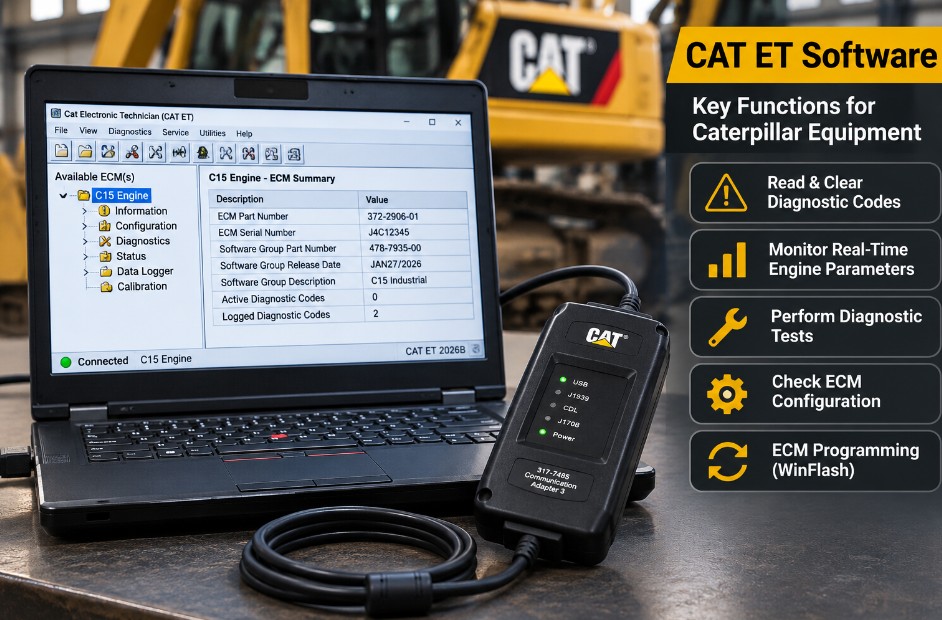
Connected to a compatible ECM, CAT ET software provides useful diagnostic and service functions. What you can actually do depends on the software edition, the ECM configuration, and your permissions, not on whether you bought an ET3 or an ET4.
Read and Clear Diagnostic Trouble Codes
CAT ET can show active and logged codes on supported systems. If a machine reports an engine derate or a sensor warning, you can pull the available information and start troubleshooting systematically. Don’t clear a code until the underlying problem has been investigated and fixed.
Monitor Real-Time Engine Parameters
Technicians can view supported operating data such as:
- Engine RPM
- Coolant temperature
- Oil pressure
- Fuel pressure
- Intake air temperature
- Sensor readings
- Switch and actuator status
Available parameters vary by ECM and machine. Live data helps you tell mechanical faults from electrical or sensor problems.
Run Diagnostic Tests
Depending on the ECM, CAT ET may offer component tests, cylinder-related diagnostics, actuator checks, and other service functions. These help confirm whether a problem lies in a component, a wiring circuit, a sensor, or the control system.
Check ECM Configuration and Calibration
CAT ET can display ECM configuration data and perform supported calibration procedures. Some configuration changes require manufacturer authorization, factory passwords, or specialized service access.
ECM Programming with WinFlash
CAT ET includes supported ECM flash programming workflows through WinFlash. Successful programming needs:
- Correct ECM identification
- Compatible flash files
- Appropriate software permissions
- A reliable power supply
- Stable adapter communication
- Correct manufacturer service procedures
An ET4 interface doesn’t unlock programming functions that ET3 lacks. For the full procedure, read our guide: How to Flash and Program a Caterpillar ECM with CAT ET
6. Which Caterpillar Engines and Machines Can They Diagnose?
CAT ET works with electronically controlled Caterpillar products, but compatibility should always be checked at the machine and ECM level. Common applications include:
| Equipment category | Examples |
|---|---|
| Heavy-duty diesel engines | C7, C9, C13, C15, and other supported engines |
| Excavators | CAT 320, 330, and other supported models |
| Wheel loaders | CAT 950, 966, and other supported models |
| Dozers | Supported D-series machines |
| Industrial equipment | Compatible electronic engine systems |
| Electric power | Supported generator sets and engine controls |
| Marine equipment | Compatible Caterpillar marine engines |
These are equipment families, not a promise that every model year, serial number, or ECU supports every diagnostic function. Two engines with the same general model name can use different ECM hardware, software, and communication setups.
Before ordering, send your supplier:
- Caterpillar machine model
- Machine serial number
- Engine model
- ECM part number, if available
- Diagnostic connector type
- The diagnostic or programming function you need
This matters most for older machines and equipment that use different communication systems.
7. CAT ET3 vs CAT ET4: Which Suits Your Workshop?
The best choice depends on how you’ll use the system.
Option A: You Already Have a Diagnostic Laptop
Suggested starting point: CAT ET3 Communication Adapter III
If you already have a compatible Windows laptop and proper CAT ET software access, an interface package may be all you need. Check your Windows environment, driver support, and cable requirements first. CAT ET3 is a sensible starting point because the Communication Adapter III family is well documented.
Shop CAT ET3 Diagnostic Adapter
Option B: You’re Considering CAT ET4
Suggested approach: verify the hardware before you buy
CAT ET4 is another option for buyers who want a CAT-compatible adapter. The OBDII.SHOP ET4 page lists CAT ET 2019C and 2026B software configurations, diagnostic cables, and optional laptop packages.
Before choosing it over ET3, ask us to confirm the exact adapter model, hardware revision, driver support, and compatibility with your target ECM. Don’t let the number “4” in the name make the decision for you.
Option C: You Need a Complete Diagnostic System
Suggested option: CAT ET3 + laptop + CAT SIS package
Starting from scratch? A complete laptop kit can be more convenient than buying an adapter and setting up a computer yourself. OBDII.SHOP offers a CAT ET3 package with laptop options including:
- Lenovo X230
- Lenovo T450
- Panasonic CF19
- Panasonic CF53
- Panasonic CF54
The current complete-kit listing includes CAT ET 2026B and CAT SIS 2023 in selected configurations. A preconfigured laptop cuts down initial setup, though you should still confirm licensing, compatibility, and future update access.
View CAT ET3 + Laptop + CAT SIS Diagnostic Kit
8. CAT ET vs CAT SIS: Do You Need Both?
They do different jobs. CAT ET handles electronic diagnostics and supported service functions, talking to the equipment ECM through an adapter. CAT SIS (Service Information System) supplies service reference information, depending on the data and access available.
| CAT ET | CAT SIS |
|---|---|
| Connects to supported ECMs | Provides service reference information |
| Reads diagnostic codes | Helps locate repair procedures |
| Monitors live data | Provides wiring and hydraulic diagrams where available |
| Performs supported service tests | Provides parts and service documentation |
| Supports authorized ECM operations | Supports repair planning and parts identification |
For shops that repair Caterpillar equipment often, pairing electronic diagnostics with the right service information is worthwhile. Keep in mind that the CAT SIS 2023 data in some OBDII.SHOP kits is a dated service-information configuration, so confirm coverage and update access for your equipment.
9. How to Connect CAT ET to a Caterpillar ECM
The general setup is similar for supported CAT ET3 and ET4 packages.
Step 1: Prepare the laptop
Install CAT ET and the compatible adapter driver correctly.
Step 2: Connect the adapter
Plug the adapter into the laptop with the supported USB cable.
Step 3: Connect the machine
Choose the correct diagnostic cable and attach it to the machine’s service port. Don’t assume every Caterpillar machine uses the same connector or pinout.
Step 4: Check machine power
Follow the applicable service procedure to supply the required ECM and diagnostic connector power.
Step 5: Configure CAT ET
Launch CAT ET and open the communication preferences. Select the correct adapter or supported RP1210 interface to match the installed driver, and enable dual-data-link communication when the system requires it.
Step 6: Establish communication
Connect to the ECM and confirm CAT ET identifies the relevant electronic control system. If it can’t communicate, check the adapter driver, connection settings, cable condition, ECM power, and the machine’s data link before replacing any hardware.
More help:
- How to Connect Caterpillar ET Software to an ECM
- How to Solve CAT ET Error 142: Communication Adapter Error
10. Frequently Asked Questions
Is CAT ET4 better than CAT ET3?
Not automatically. The actual hardware revision, driver compatibility, cable configuration, and software package matter more than the ET3 or ET4 label. Both OBDII.SHOP listings offer CAT ET 2026B software options.
Can CAT ET3 run CAT ET 2026B?
OBDII.SHOP offers CAT ET3 packages configured with CAT ET 2026B. Still confirm compatibility for your exact interface, Windows system, and software installation.
Is CAT ET4 an officially documented replacement for Communication Adapter III?
The Caterpillar dealer documentation referenced for this guide identifies Communication Adapter 3 as the recommended hardware. Ask for the exact manufacturer part number and documentation behind any product marketed as CAT ET4.
Do CAT ET3 and CAT ET4 support ECM programming?
Both are sold as communication interfaces for CAT ET software. Programming availability depends on the ECM, the CAT ET software, service authorization, and the applicable procedures. The adapter alone doesn’t grant programming permission.
Can I use CAT ET on Windows 11?
It depends on the CAT ET version, the adapter driver, and the Windows installation. Some retail configurations claim support for selected Windows 11 systems, but confirm this before buying. Older software packages may need a different supported operating system.
Does CAT ET work on all Caterpillar machines?
No diagnostic package should be assumed to support every machine. Check the machine serial number, ECM, software release, and diagnostic connector before ordering.
Should I buy an adapter only or a complete laptop kit?
Choose adapter-only if you already have a suitable diagnostic computer and the required software access. Consider a laptop kit if you want a preconfigured system or you’re setting up CAT diagnostics for the first time.
Does CAT ET4 include CAT SIS software?
It depends on the selected package. OBDII.SHOP lists CAT SIS 2023 with certain CAT ET4 and CAT ET3 laptop configurations. Confirm the included data and licensing before purchasing.
Final Verdict: CAT ET3 or CAT ET4 in 2026?
For most workshops, start with confirmed compatibility, not the product name.
Choose CAT ET3 if you want an established Communication Adapter III product family and already have a compatible diagnostic laptop.
Consider CAT ET4 if its specific hardware meets your requirements and its compatibility has been confirmed for the machines you service.
Choose a complete CAT ET laptop kit if you want the interface, cables, computer, and software configured together.
Whichever you pick, reliable ECM communication, correct diagnostic information, and proper service authorization count for more than the adapter generation printed on a listing.
Explore Caterpillar Diagnostic Tools at OBDII.SHOP
- CAT ET3 Communication Adapter III
- CAT ET4 Diagnostic Adapter
- CAT ET3 + Laptop + CAT SIS Software Package
Not sure which package fits your machine? Contact OBDII.SHOP with your Caterpillar model, serial number, engine or ECM model, and the functions you need. Our team can help you check available configurations before you order.
Leave a Reply