Does CAT Caterpillar ET3 diagnostic software support French? Yes! CAT Electronic Technician (CAT ET) supports multiple languages, including French, English, Spanish, German, and more.
OBDII Shop engineers can help configure the CAT ET3 Diagnostic Adapter III software in French, as shown in the screenshot below.
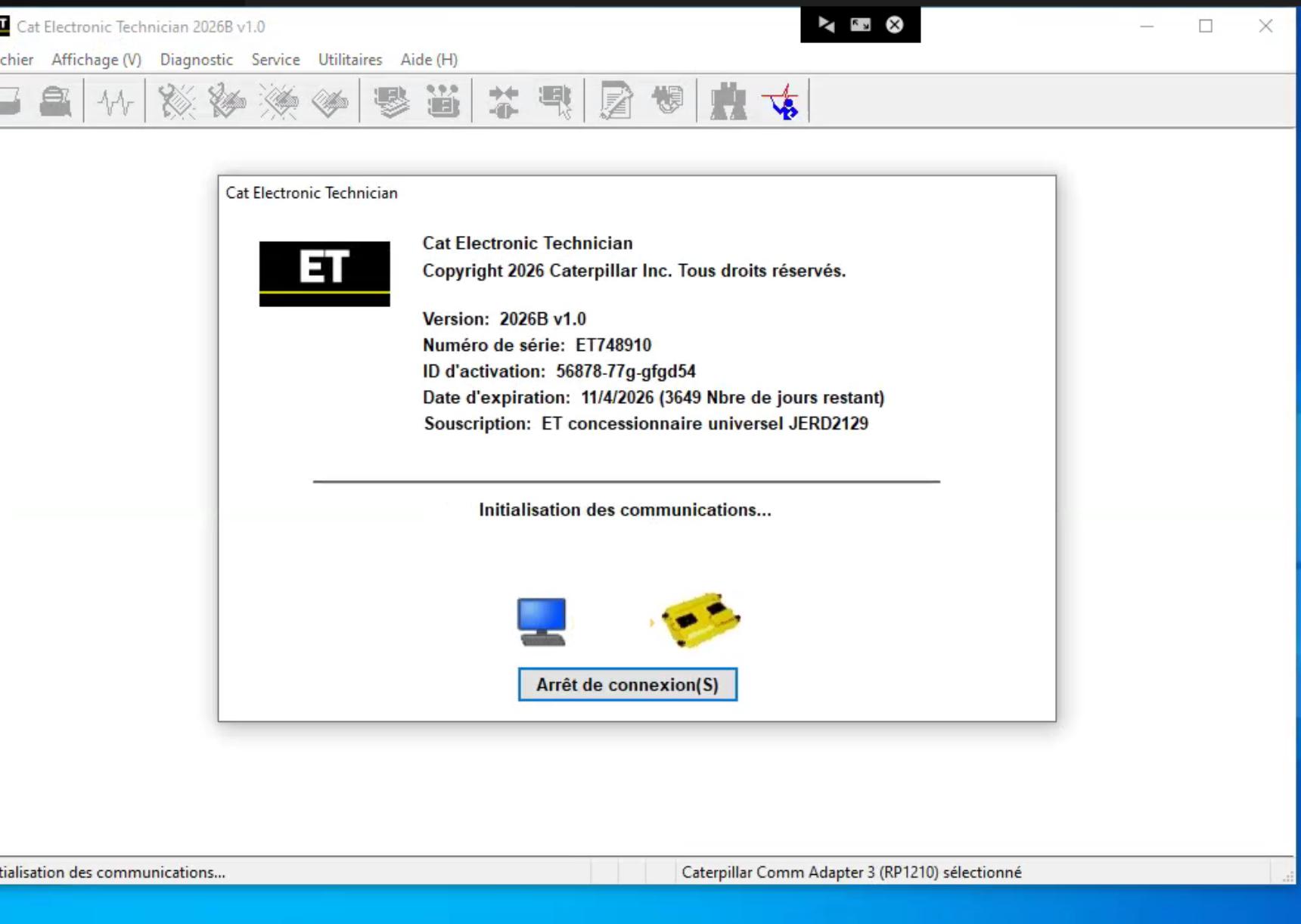
Image ALT: CAT ET3 Caterpillar diagnostic software configured in French
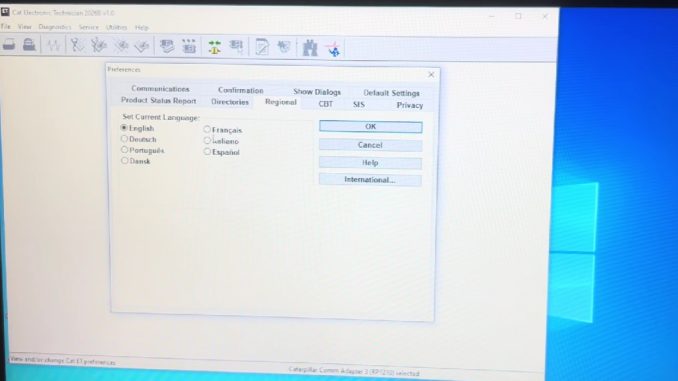
How to Change CAT ET Software Language to French
If your CAT ET software is currently in English, follow these steps to change the interface language:
- Open CAT Electronic Technician on your laptop.
- Go to Utilities → Preferences → Modify.
- Select Regional and locate the language settings.
- Choose French (Français) and confirm.
- Restart CAT ET if necessary.
Note: Available languages and menu options depend on your CAT ET software version and installed language files.
For detailed instructions, watch our video tutorial:
Why Choose OBDII Shop CAT ET3 Diagnostic Adapter?
The CAT ET3 Diagnostic Adapter III connects your laptop to compatible Caterpillar engines and heavy equipment for:
- Reading and clearing diagnostic fault codes
- Monitoring live engine data
- Performing supported diagnostic tests and calibrations
- ECM configuration and parameter programming where supported
OBDII Shop also provides:
- CAT ET software and diagnostic adapter packages
- French-language setup assistance
- Software installation and technical support
- Worldwide shipping
Buy CAT ET3 Diagnostic Adapter III with Software
Tip: When ordering, add a note: “Please set CAT ET software language to French.” Our team will confirm the available setup options.
Frequently Asked Questions
Does CAT ET3 software support French?
Yes. French is among the supported languages, provided the required language files are installed.
Can I change CAT ET software language after purchase?
Yes, if your installed software includes French. Follow the steps above or contact our technical team.
Can OBDII Shop help with French-language setup?
Yes. Contact us before ordering to confirm configuration options for your selected package.
For CAT ET3 diagnostic tools and software assistance, visit OBDII Shop or email sales@obdii.shop.
Leave a Reply