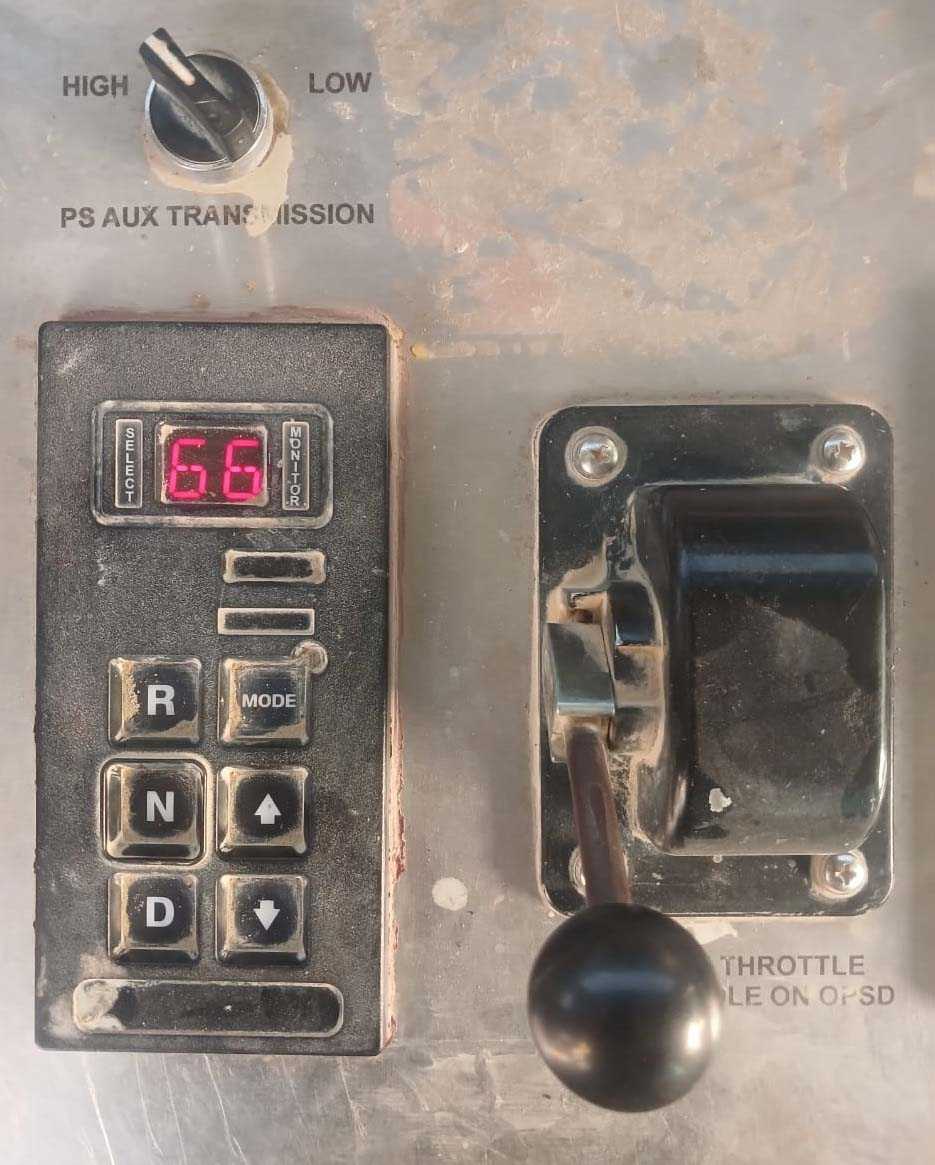
The Alternate Maximum Gear function on the Cummins CX35 Well Service Transmission allows the operator to select a second maximum forward gear limit via an external LOW/HIGH switch.
For example, the normal maximum forward gear may be set to sixth gear, while the alternate maximum forward gear is limited to second gear. Moving the switch to LOW activates the alternate limit and prevents the transmission from shifting above second gear.
This function is commonly used during pumping, draw works, and other well-service operations that require controlled transmission speed and torque.
CX35 Shifter #1 Configuration
Shifter #1 is normally used as the primary transmission shifter. The following parameters determine how the shifter and alternate maximum gear function operate.
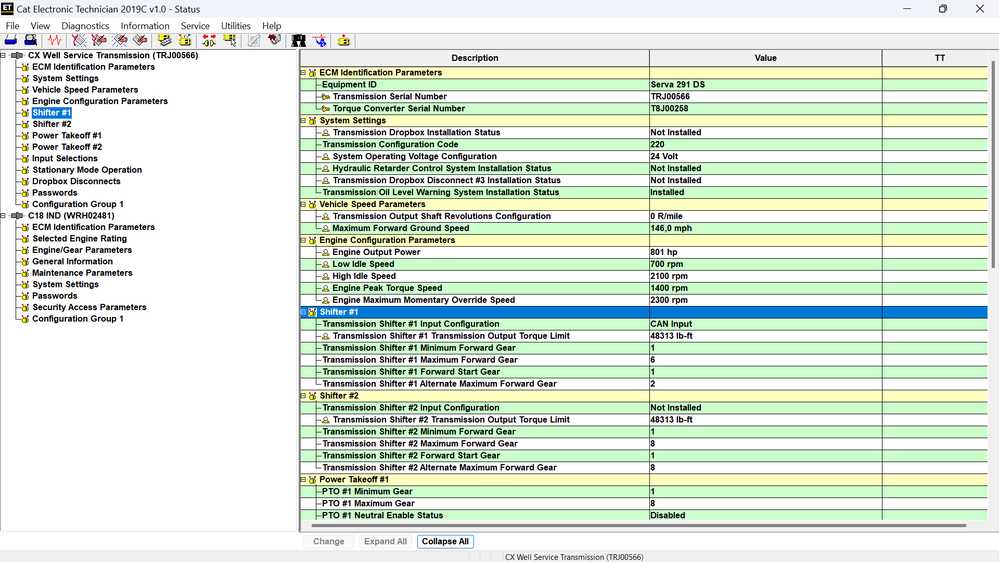
Transmission Shifter #1 Input Configuration
This parameter identifies the shifter input type.
Available input types may include:
CAN
PWM
Switch to ground
Default setting: CAN input
Transmission Output Torque Limit
This parameter sets the maximum allowable torque at the transmission output shaft.
Available range: 0–31,999 Nm
Displayed default: 65,503 Nm
The displayed default value may represent an inactive or unrestricted setting, depending on the TCM calibration.
Minimum Forward Gear
This parameter defines the lowest forward gear that the transmission can select.
Available range: First through sixth gear
Default setting: First gear
Maximum Forward Gear
This parameter defines the highest forward gear available during normal operation.
Available range: First through sixth gear
Default setting: Sixth gear
Forward Start Gear
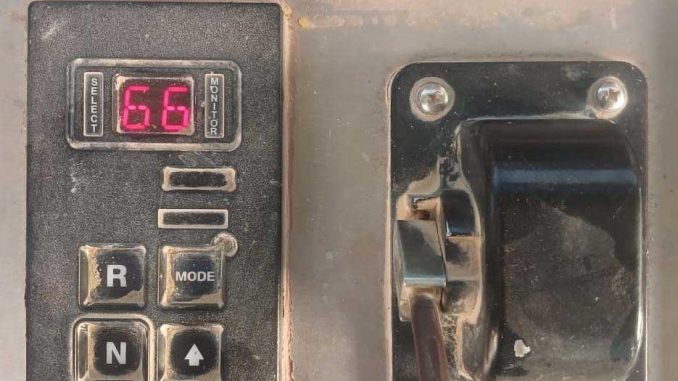
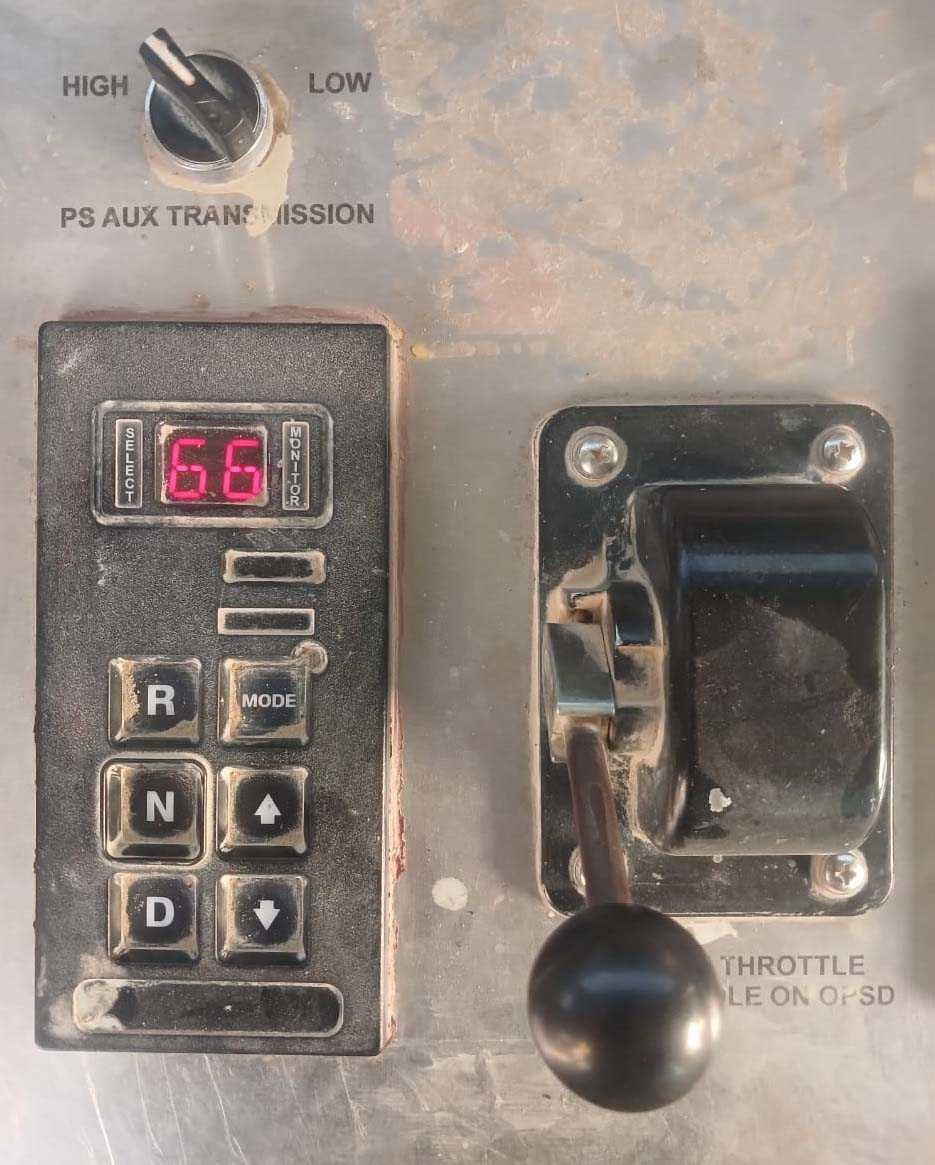
This parameter determines which gear the transmission engages when the operator presses the D button on the CAT shift selector pad.
Available range: First through sixth gear
Default setting: First gear
Alternate Maximum Forward Gear
This parameter sets the highest forward gear allowed when the Alternate Maximum Gear switch is ON.
Available range: First through sixth gear
Default setting: Sixth gear
Example configuration: Second gear
In this example, activating the LOW switch limits transmission to second gear.
Activating the Alternate Maximum Gear Function
Move the Alternate Maximum Gear switch to the LOW position.
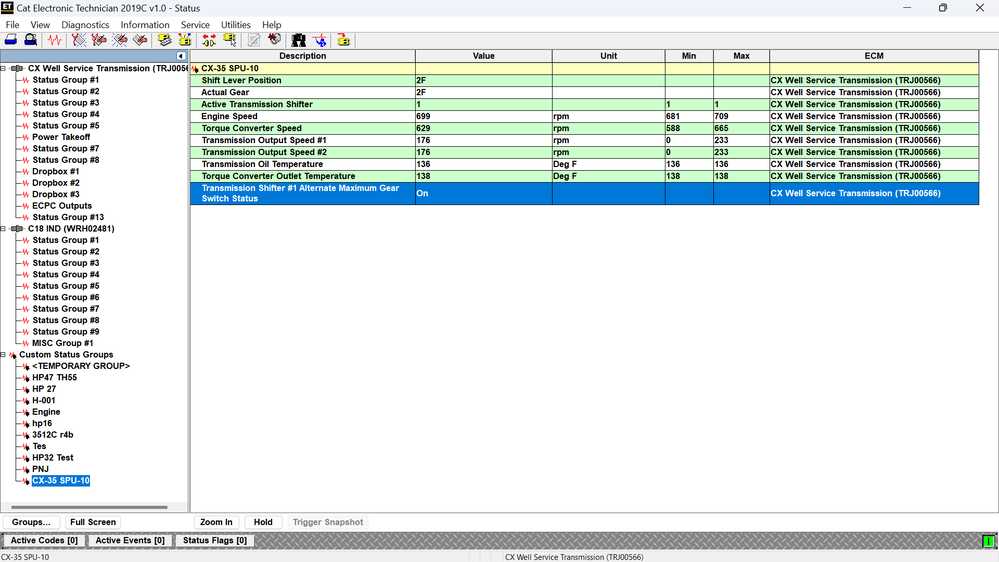
The following conditions should then be displayed:
TCM input J1-40, Alternate Maximum Gear #1 Switch, becomes active
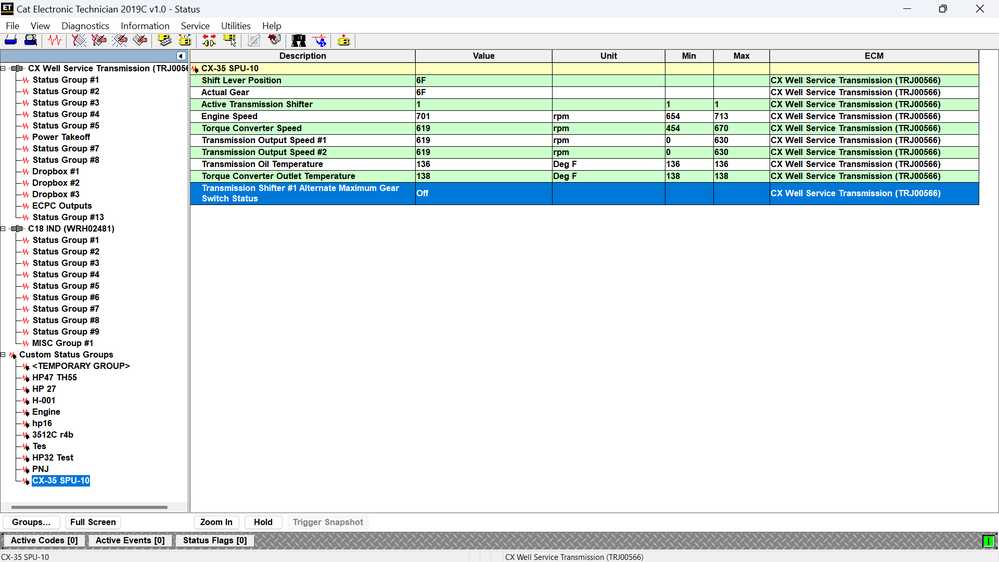
Transmission Shifter #1 Alternate Maximum Gear Switch Status changes to ON
Maximum available forward gear becomes 2F.
The transmission cannot upshift above second gear.
This operation corresponds to the configured value:
Transmission Shifter #1 Alternate Maximum Forward Gear = 2
Operation in Auto-Shift Pumping Mode
When the alternate maximum gear function is activated while the transmission is operating in an auto-shift pumping configuration, the transmission will not immediately force a downshift if the current gear exceeds the newly selected maximum gear.
Instead, the transmission will:
Prevent additional upshifts
Continue allowing normal downshifts.
Gradually downshift until the alternate maximum gear is reached.
For example, if the transmission is operating in fourth gear when the LOW switch is activated, it will not necessarily shift directly to second gear. It will inhibit upshifts and permit downshifts until second gear is reached.
Operation in Draw Works Mode
In a draw works configuration, the transmission responds differently.
If the current transmission gear is higher than the alternate maximum gear, the transmission can shift directly to the new maximum gear when:
The Alternate Maximum Gear switch is ON.
The current gear is above the configured limit.
Engine speed is below 850 rpm.
For example, if the transmission is above second gear and engine speed is below 850 rpm, activating the LOW switch can command a direct shift to second gear.
Returning to the Normal Maximum Gear
Move the switch to the HIGH position to deactivate the alternate maximum gear function.
The following conditions should then be displayed:
Transmission Shifter #1 Alternate Maximum Gear Switch Status changes to OFF
The normal maximum forward gear becomes active.
The transmission can shift up to sixth gear.
This operation corresponds to the normal configuration:
Transmission Shifter #1 Maximum Forward Gear = 6
The transmission may then display a shift lever position or actual gear of 6F, depending on operating speed, load, throttle position, and other shift conditions.
LOW and HIGH Switch Summary
Switch position
Alternate gear status
Maximum available gear
LOW
ON
Second gear
HIGH
OFF
Sixth gear
Troubleshooting the Alternate Maximum Gear Function
If the transmission does not respond when the LOW/HIGH switch is operated, check:
Alternate Maximum Gear Switch Status in the diagnostic software
TCM connector J1-40 input
Switch wiring and ground circuit.
Shifter #1 input configuration
Alternate Maximum Forward Gear setting
Normal Maximum Forward Gear setting
Current transmission operating configuration
Engine speed in draw works mode
Active CX35 transmission fault codes
Do not replace the shifter or transmission control module before confirming that the switch input changes correctly in the diagnostic software.
Important Service Note
Transmission configuration changes should be completed by a qualified technician using compatible Cummins diagnostic software. Incorrect gear limits, torque settings, or shifter configurations may affect equipment operation and transmission protection.
Always record the original calibration values before changing any CX35 transmission parameters.
Related Diagnostic Guides
SPN 1675 FMI 5: Starter Motor Relay Current Below Normal
SPN 190 FMI 2: Engine Speed Sensor Signal Erratic, Intermittent, or Incorrect
Need a Complete CAT Diagnostic Solution?
CAT ET software must communicate with the machine ECM through a compatible diagnostic adapter. For workshops that do not already have an adapter, the CAT Communication Adapter III with CAT ET software provides a more complete solution.
Before ordering, please send the Caterpillar machine model, serial number, engine model, diagnostic connector photo, and required service function to sales@obdii.shop. Our team can help confirm the appropriate software version, communication adapter, and cable configuration.
Service Notice: Certain ECM programming, configuration changes, calibrations, and protected service procedures may require additional authorization, passwords, subscriptions, or qualified technician access. Always back up the original ECM configuration before making changes.
Leave a Reply