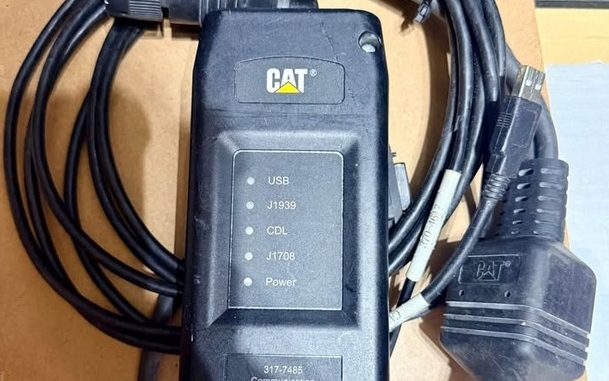
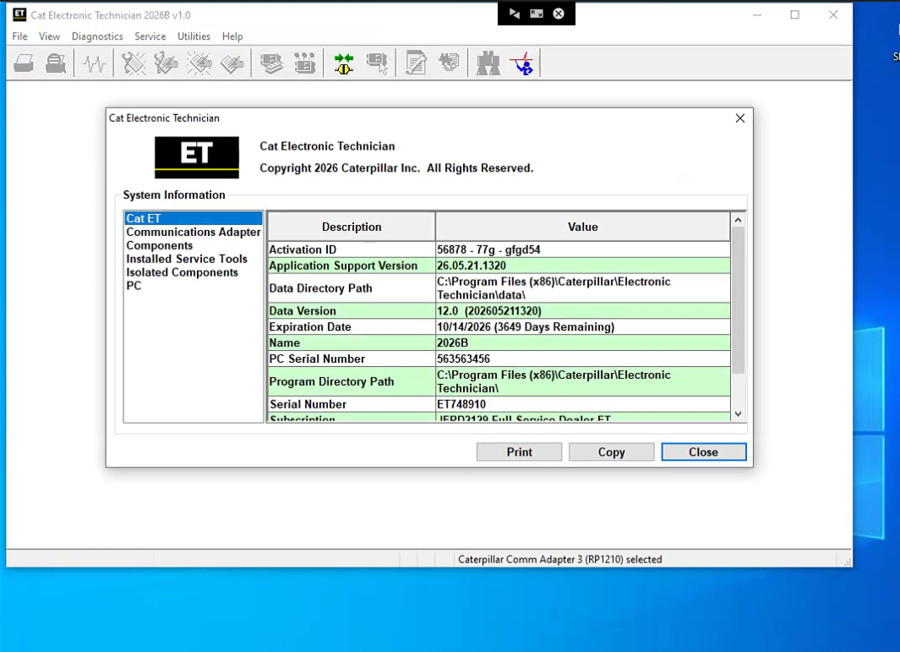
The Caterpillar Communication Adapter III (Part # 317-7485) is the dealer-level diagnostic interface built for Caterpillar heavy machinery, industrial engines, and commercial equipment. Paired with the Caterpillar Electronic Technician (Cat ET) 2026B software release, it lets technicians connect directly to machine ECMs across J1939, J1708, and proprietary CDL data links to troubleshoot, configure, calibrate, and flash engine parameters.
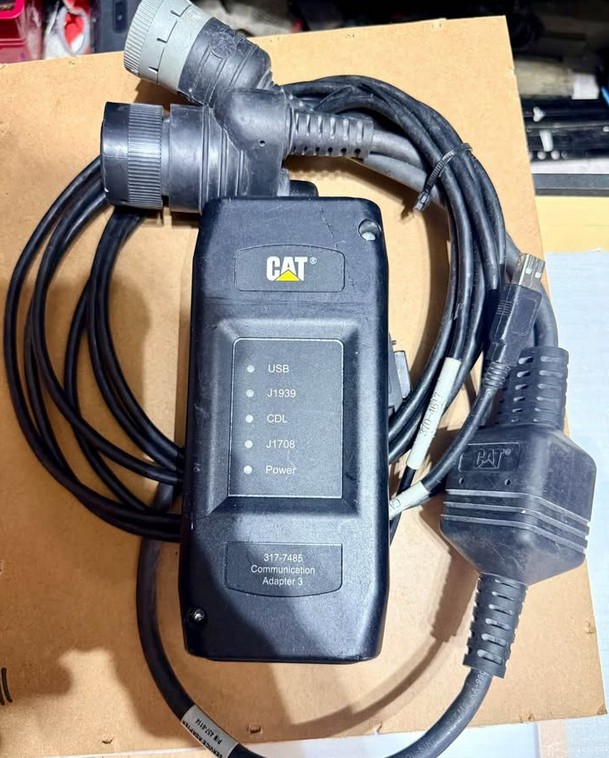
Technical Specifications & Package Overview
-
Hardware Interface: Caterpillar Communication Adapter III (P/N: 317-7485 / 478-0235)
-
Software Version: Cat ET 2026B (Replaces 2026A, 2025C, 2024C, and older versions)
-
Protocols Supported: J1939, J1708, ATA, and proprietary Caterpillar Data Link (CDL)
-
Dual-Datalink Support: Yes (Required for modern dual-data link Caterpillar ECMs)
-
Interface Replacement: Directly replaces legacy Comm Adapter II, 317-7487, and 466-6258 kits.
What’s Included in the Diagnostic Kit
-
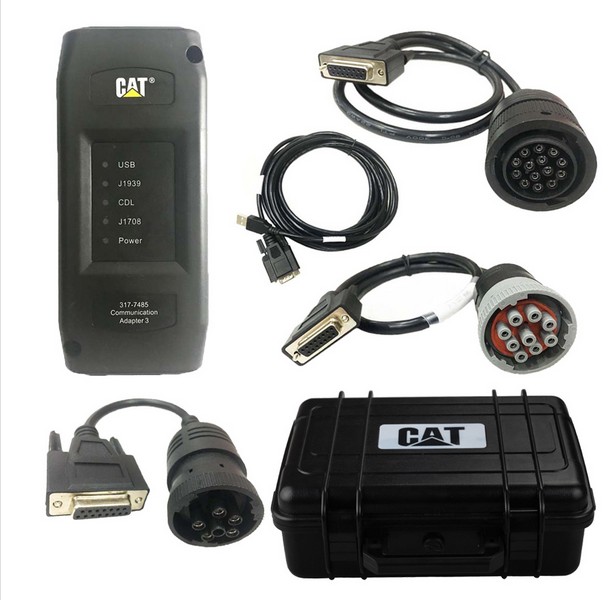
1× Cat Comm Adapter III Interface (317-7485)
-
1× USB PC Connection Cable (USB to DB15)
-
1× Heavy-Duty Diagnostic Cable (9-Pin / 14-Pin J1939 & J1708)
-
1× Driver Software Installation Media
-
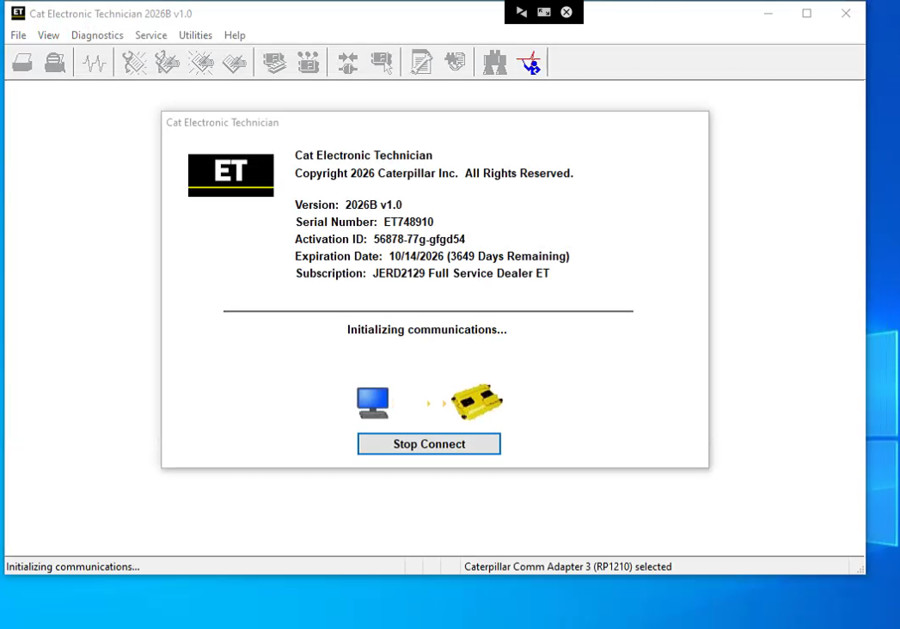
1× Caterpillar Electronic Technician (Cat ET) 2026B Full Installer
-
1× Impact-Resistant Molded Hard Shell Storage Case
Core Capabilities of Cat ET 2026B Diagnostic Software
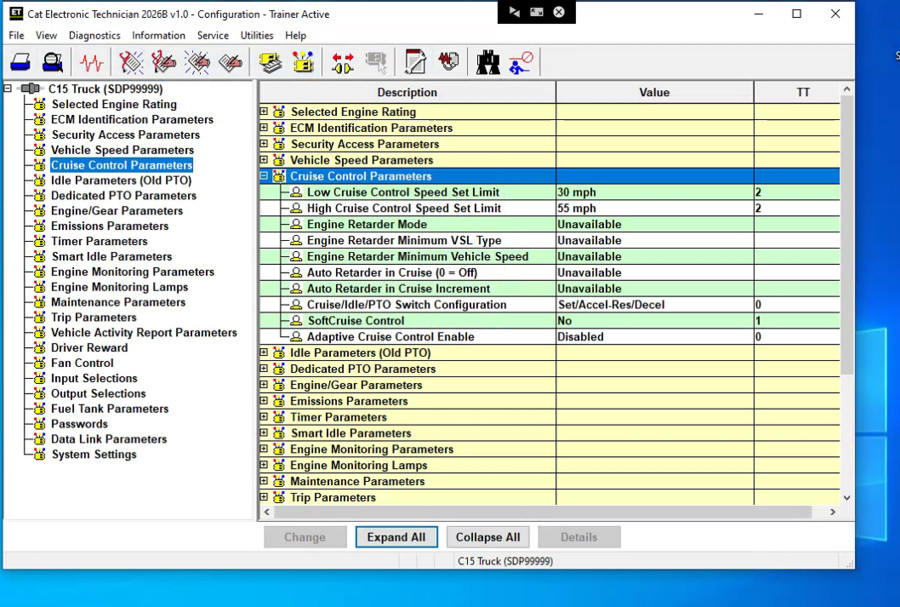
Cat Electronic Technician gives service technicians full dealership-tier diagnostic control over on-highway and off-highway Caterpillar assets:
-
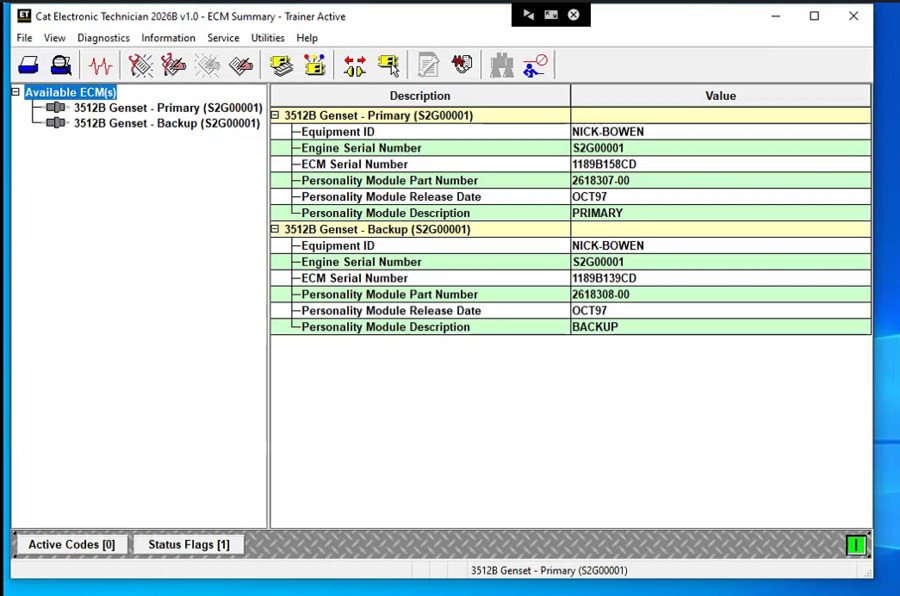
Diagnostic Fault Code Management: View and clear active diagnostic trouble codes (DTCs) and view historical logged events.
-
Live Sensor Telemetry: Monitor real-time status parameters simultaneously, including fuel rail pressure, boost pressure, coolant temperatures, and engine RPM.
-
Data Logging & Graphing: Record live data streams over time to isolate intermittent derates, sensor spikes, and boost drops.
-
Component Testing & Calibrations: Execute cylinder cutout tests, injector solenoid tests, DEF dosing purge tests, and pressure relief valve resets.
-
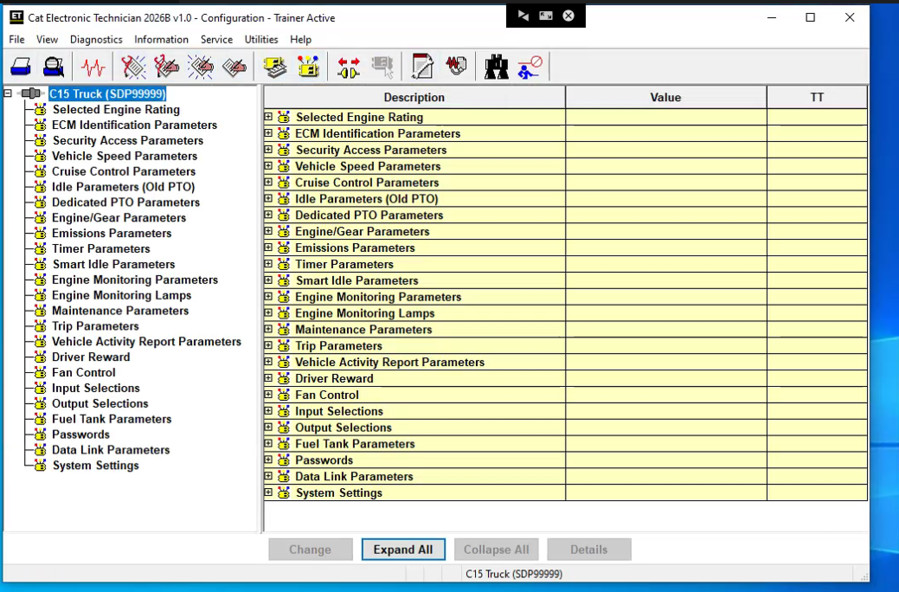
ECM Configuration & Parameters: Adjust fleet limits, idle shutdown timers, tire revolutions per mile, and horsepower ratings (subject to factory customer password permissions).
-
WinFlash Support: Flash and update ECM firmware files directly via supported RP1210 connections.
-
Diagnostic Reporting: Generate and export printable diagnostic summaries and ECM status sheets for shop records.
Supported Caterpillar Equipment & Engines
Engine Lines
-
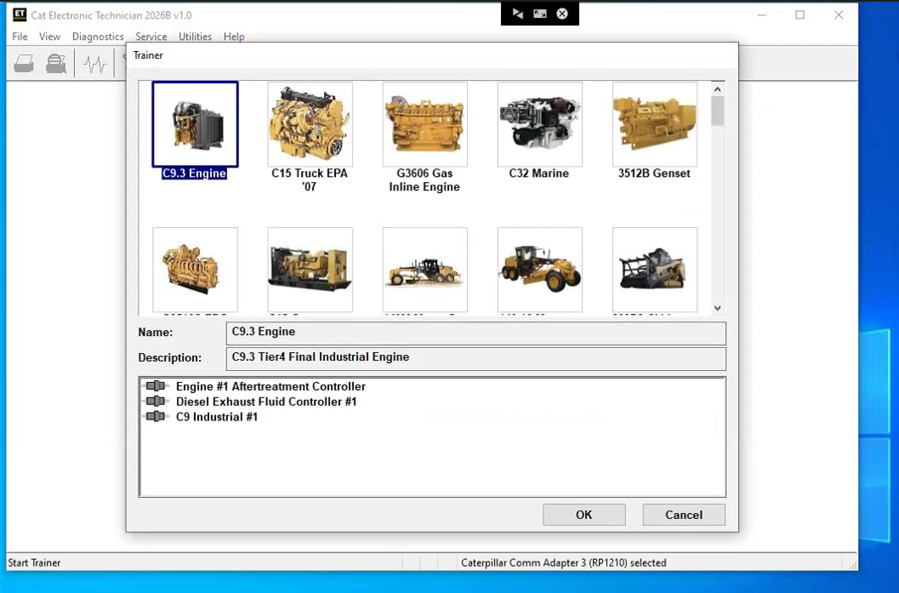
Industrial & Off-Highway: C7, C9, C11, C12, C13, C15, C18, C27, C32, 3406E, 3500 Series
-
Commercial Marine: Cat Marine Propulsion & Auxiliary Power Systems
-
Electric Power Generation: Standby, prime, and natural gas generator sets
-
Oil & Gas Units: Drilling engines, well-stimulation pumps, and hazardous-area power modules
Heavy Equipment Categories
-
Earthmoving & Excavation: Hydraulic Excavators (B, C, D, Next Gen series), Wheel Loaders, Track Dozers, Backhoe Loaders
-
Hauling & Mining: Articulated Trucks, Off-Highway Haul Trucks, Hydraulic Mining Shovels
-
Paving & Compaction: Asphalt Pavers, Cold Planers, Soil & Tandem Vibratory Compactors, Road Reclaimers
-
Forestry & Material Handling: Forwarders, Harvesters, Feller Bunchers, Knuckleboom Loaders, Telehandlers, Skid Steers
System Requirements & Adapter Configuration
Recommended PC Specifications
-
Operating System: Windows 10 Pro (64-bit) or Windows 11 Pro (64-bit) (ARM processors such as Snapdragon or Microsoft SQ chips are not supported)
-
Processor: 2.0 GHz dual-core Intel or AMD CPU minimum
-
RAM: 4 GB minimum (8 GB recommended for graphing and WinFlash tasks)
-
Storage: 5 GB available SSD/HDD storage space
-
Ports: Standard USB 2.0 / USB 3.0 Type-A port
How to Configure Comm Adapter 3 in Cat ET
-
Open Cat Electronic Technician.
-
Click Stop Connect if the auto-detection prompt appears.
-
Navigate to Utilities → Preferences → Modify…
-
Select the Communications tab.
-
Under the interface selection list, choose Cat Comm Adapter 3 (RP1210).
-
Confirm that the Enable Dual Datalink Service checkbox is checked. (Leaving this disabled will prevent the software from discovering secondary ECMs like transmission or emissions controllers).
-
Click OK and reconnect to the machine ECM.
Comparison: Factory Original vs. Aftermarket / OEM-Style Adapters
| Feature / Metric | Factory Original Comm Adapter III | Aftermarket / Clone ET3 Adapter |
| Driver Setup | Native plug-and-play; automatically recognized by Windows and Cat ET | Often requires manual USB driver installation and virtual COM port assignment |
| Software Device Mode | Direct selection of Cat Comm Adapter 3 (RP1210) | Frequently requires setting device mode to Comm Adapter II (COM) in ET |
| Dual Datalink Stability | Consistent communication across high-speed J1939 and CDL lines | May experience packet drops or connection drops during ECM flashing |
| WinFlash Firmware Flashing | Fully supported and verified for factory firmware flashing | High brick risk; flashing ECMs with clone hardware is not recommended |
| Build Construction | Sealed industrial aluminum shell; automated surface-mount PCB assembly | Lightweight casing; varied PCB solder quality |
Frequently Asked Questions (FAQ)
What replaces the Cat Comm Adapter II (P/N 317-7487)?
The Cat Communication Adapter III (P/N 317-7485) directly replaces Comm Adapter II and legacy kit 466-6258, adding faster data processing and dual-datalink compatibility.
Can I run Cat ET 2026B on Windows 7?
No. Support for Windows 7 was removed starting with the 2020B update. Windows 10 Pro or Windows 11 Pro 64-bit is required for stable communication.
Can I use a Nexiq USB-Link instead of Comm Adapter 3?
A Nexiq USB-Link 2 or 3 works well for on-highway commercial truck applications over J1939/J1708. However, off-highway machinery and older Caterpillar equipment require the proprietary Caterpillar Data Link (CDL), which requires a genuine Comm Adapter III interface.
Leave a Reply