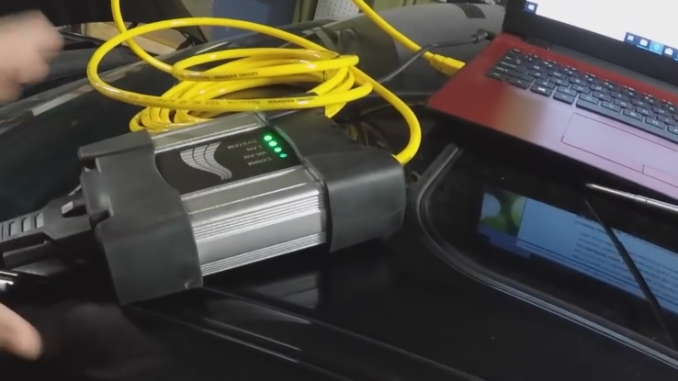
Using BMW ISTA with an ICOM interface can sometimes cause unexpected connection problems. A 2010 BMW X5 40d case showed three key issues to check before blaming the ICOM or reinstalling ISTA.
1. ISTA Does Not Detect Ignition
BMW ICOM uses:
- OBD Pin 1: KL15 ignition signal
- OBD Pin 16: KL30 battery voltage
On this BMW X5, Pin 1 had no wire, so ISTA could detect battery voltage but not the ignition status.
A temporary bridge from Pin 16 to Pin 1 allowed the ignition signal to be detected.
However, don’t treat this as a universal BMW solution. Always check the wiring diagram and measure the OBD pins before applying voltage to Pin 1.
If your ICOM has power but ISTA still shows Ignition OFF, check the KL15 signal first.
2. Make Sure All BMW Modules Are Awake
ISTA may fail to communicate with some ECUs if the vehicle is not fully awake.
On this X5, the working procedure was:
- Fasten the driver’s seat belt.
- Insert the key completely.
- Press and release the Start/Stop button without starting the engine.
- Confirm that the ignition and instrument cluster are active.
- Start the ISTA vehicle test.
The seat-belt step helped keep this particular vehicle awake, but it is not required on every BMW.
The main goal is to keep Terminal 15 ON so ISTA can communicate with all available modules.
3. Use a Stable Battery Power Supply
With many BMW modules awake, battery consumption can become surprisingly high.
In this case, a 50A charger capable of maintaining around 14V was needed to keep the voltage stable.
For basic diagnosis, ISTA may still work below 12.5V, but low voltage can cause:
- Communication errors
- Modules dropping offline
- Interrupted coding
- Failed programming
For coding or programming, use a proper external battery charger or regulated workshop power supply.
Quick Troubleshooting Guide
| Problem | Check |
| ICOM powers on but ignition shows OFF | Check KL15 / OBD Pin 1 |
| Some modules are missing | Make sure the vehicle is fully awake |
| Modules disconnect during diagnosis | Check battery voltage |
| Programming fails | Use a stable external power supply |
| Pin 1 has no voltage | Verify vehicle wiring before bridging |
Recommended BMW Diagnostic Setup
For professional BMW diagnosis, coding, and programming, an ICOM-based setup works better with ISTA than a basic OBD cable.
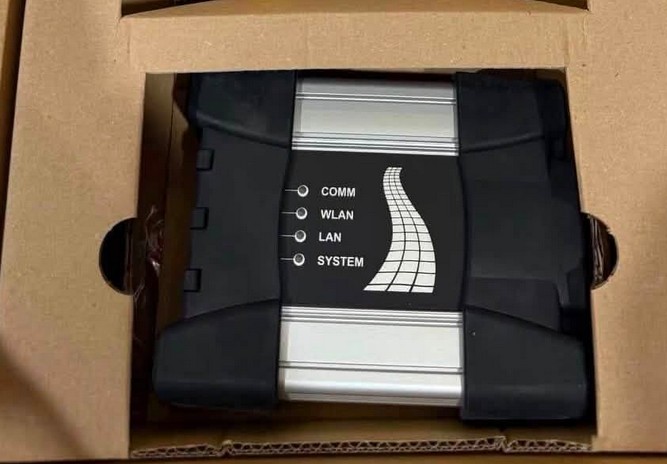
Obdii.shop offers the BMW ICOM NEXT A+B+C Professional Diagnostic Tool, with interface-only, software, and complete laptop package options.
It can be used with ISTA-D, ISTA-P, E-SYS, INPA, WinKFP, NCS, and other BMW diagnostic software.
Conclusion
If BMW ISTA cannot communicate correctly, check three things first:
- Is Terminal 15 detected?
- Are the vehicle modules fully awake?
- Is battery voltage stable?
These simple checks can solve many BMW ISTA and ICOM communication problems without replacing the interface or reinstalling the software.
FAQ
Why does BMW ISTA show ignition OFF?
ISTA/ICOM needs to recognize Terminal 15. If battery voltage is present but the ignition remains OFF in ISTA, check the vehicle’s ignition state and the relevant OBD/ICOM signal before reinstalling the software.
Is OBD Pin 1 used by BMW ICOM?
BMW ICOM documentation identifies OBD Pin 1 as KL15 (ignition ON) and Pin 16 as KL30 battery voltage.
Can I connect OBD Pin 16 directly to Pin 1?
It has been used as a troubleshooting workaround on certain vehicles, but it should not be performed blindly. Verify the exact vehicle wiring and electrical condition first.
Does ISTA require the driver’s seat belt to be fastened?
No. This is not a universal ISTA requirement. On the X5 in this case, fastening the driver’s seat belt helped maintain the required vehicle wake state.
Leave a Reply