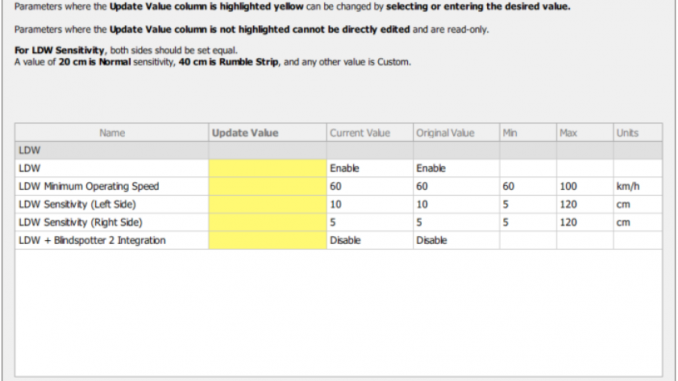
This guide explains how to configure Lane Departure Warning (LDW) for the Bendix AutoVue FLC20 camera using JPRO diagnostics software.
Related Contents
LDW Configuration Guide
This test function allows users to edit configuration parameters for the LDW system.
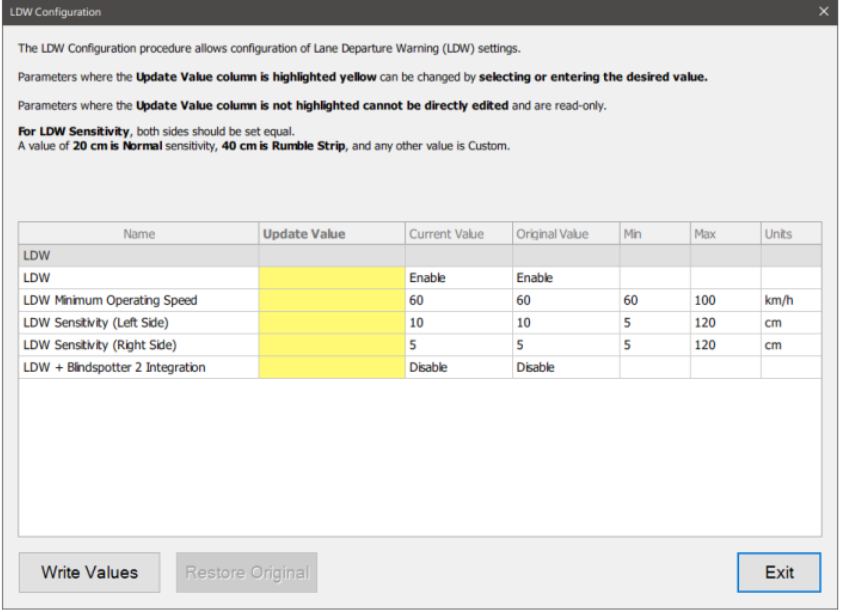
Step 1: Open LDW Configuration
Select LDW Configuration and press Enter or click the Start button.
Step 2: Enter the Test Dialog
The test dialog window will appear, showing the available configuration options.
Step 3: Change the Settings
Select a new value in one or more rows of the grid. Then click the Write Values button to send the updated settings to the vehicle.
After the programming process is complete, the values in the Current Value column will be updated, and the Restore Original button will become available.
Step 4: Exit the Test
When the configuration is finished, click Exit to return to the test selection dialog.
Summary
Using JPRO, you can quickly adjust the LDW configuration for the Bendix AutoVue FLC20 camera by selecting the desired parameters, writing the new values to the vehicle, and confirming the update after programming is complete.
Leave a Reply