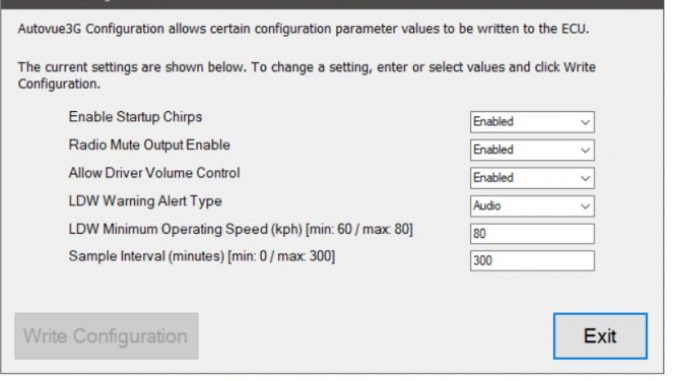
The Bendix AutoVue® 3G Lane Departure Warning (LDW) System is a critical part of modern Driver Assistance Systems (DAS).
Using JPRO 2025 V3, technicians can easily access and modify AutoVue 3G configuration parameters to ensure proper system operation and compliance with vehicle requirements.
Related Contents:
2025 JPRO Noregon Diagnostics Free Download
JPRO 2025 V3 DAS Configuration Capabilities
The Driver Assistance Systems (DAS) Tests in JPRO 2025 V3 allow users to:
- View current AutoVue 3G configuration settings
- Edit supported DAS parameters
- Program new values directly to the vehicle
- Restore original factory values when needed
This functionality is especially useful after system replacement, calibration, or vehicle configuration changes.
Supported System
The AutoVue configuration test is available for:
- ✓ Bendix AutoVue® 3G LDW System
How to Perform the AutoVue 3G Configuration Test
Follow the steps below to edit AutoVue 3G configuration values using JPRO 2025 V3:
Step 1: Open the Configuration Test
- From the JPRO menu, select SDP3 Configuration
- Press Enter or click the Start button
Step 2: Review Configuration Parameters
- The configuration test dialog will appear
- Current system parameters are displayed in a grid format
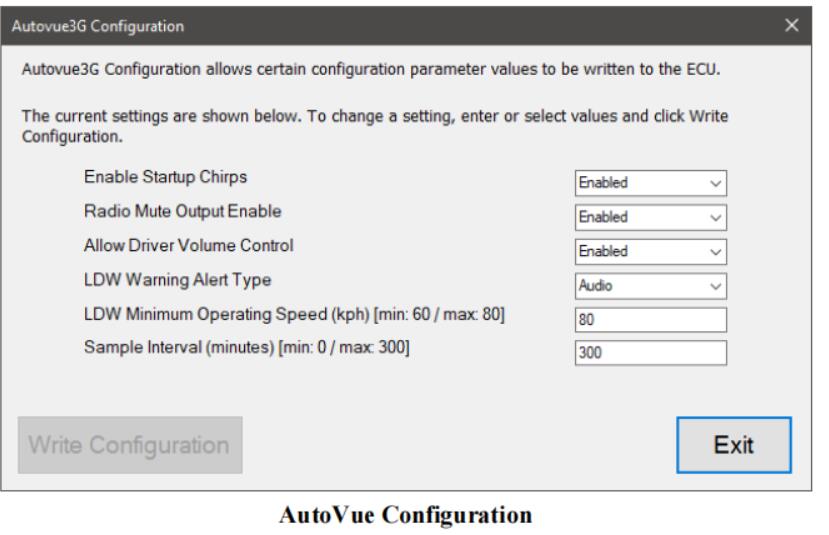
Step 3: Modify and Write New Values
- Select one or more rows in the grid
- Choose the desired new values
- Click Write Values to program the changes to the vehicle
Once programming is complete:
- The Current Value column updates automatically
- The Restore Original button becomes available, allowing you to revert settings if needed
Step 4: Exit the Test
- After confirming the configuration changes, click Exit
- You will return to the DAS test selection screen
Important Notes
- Ensure vehicle power remains stable during programming
- Only change parameters you fully understand to avoid DAS malfunctions
- Use the Restore Original function if unexpected behavior occurs
Summary
The Bendix AutoVue 3G DAS Configuration Test in JPRO 2025 V3 provides a reliable and efficient way to adjust LDW system parameters.
By following the correct procedure, technicians can confidently configure, validate, and restore AutoVue 3G settings—improving safety system performance and reducing diagnostic time.
Leave a Reply